OpenCV在捕获的摄像头上写字

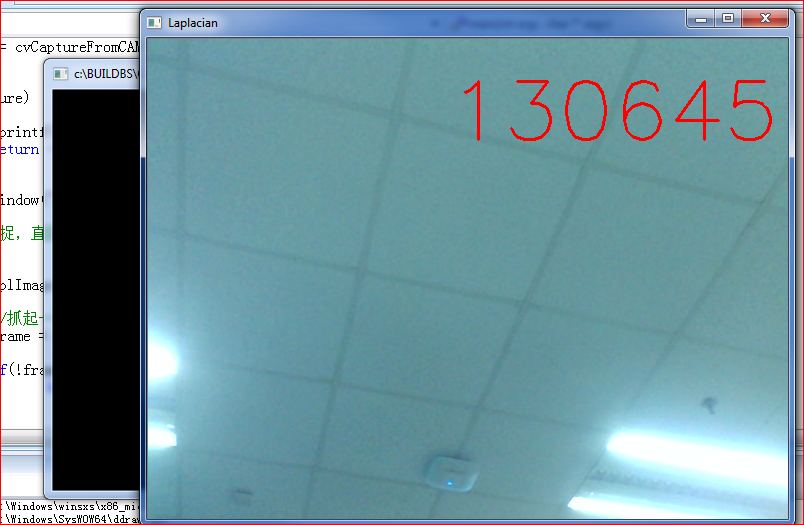
这个实验和之前的画圆的类似,先捕捉图像,然后再上面输出文字。

#include "stdafx.h"
#include "highgui.h"
#include "cv.h"
#include "stdio.h"
#include <ctype.h>
#include <time.h>

int main(int argc,char ** argv)
{
	time_t	t;
	char showMsg[256];

	//the font variable    
    CvFont font; 

       CvCapture *capture = 0;

	   //从摄像头读取
       capture = cvCaptureFromCAM(0);

 
       if(!capture)
       {
              fprintf(stderr,"Could not initialize capturing...\n");
              return -1;
       }
 
       cvNamedWindow("Laplacian",1);
 
       //循环捕捉,直到用户按键跳出循环体
       for(;;)
       {
              IplImage * frame =0;
             
              //抓起一祯
              frame = cvQueryFrame(capture);
 
              if(!frame)
                     break;

	time(&t);
	strftime(showMsg, sizeof(showMsg), "%H%M%S", localtime(&t) ); //格式化输出.
   
    // 初始化字体   
    cvInitFont(&font,CV_FONT_HERSHEY_SIMPLEX, 4.5,1,0,2);//初始化字体,准备写到图片上的   
    // cvPoint 为起笔的x,y坐标   
    cvPutText(frame,showMsg,cvPoint(300,100),&font,CV_RGB(255,0,0));//在图片中输出字符  

              cvShowImage("Laplacian",frame);
 
              if(cvWaitKey(10)>0)
                     break;
       }
       cvReleaseCapture(&capture);
       cvDestroyWindow("Laplacian");
       return 0;
}


campaint

参考:

1.http://blog.csdn.net/jiadelin/article/details/2916329 strftime()函数用法
2.http://blog.csdn.net/jinshengtao/article/details/20549221 利用OpenCV给图像添加标注
3.http://blog.csdn.net/ycc892009/article/details/6516528 opencv-在图像上显示字符(不包括中文)

Arduino接收串口字符的问题

随手写了一个小程序,目标是串口收到:‘b’关闭 Pin 13 的LED;当收到 ‘s’ 是打开 LED.

程序如下,很奇怪的现象是:板子上 PIN 13 的LED一直是熄灭的。有兴趣的朋友在看答案之前可以先自己琢磨一下。

#define LED_PIN 13

void setup()
{
    Serial.begin(9600);
    pinMode(LED_PIN, OUTPUT);  
}

void loop()
{
    while (Serial.available() > 0)  
    {
        if ('b'==Serial.read();) 
          {
            digitalWrite(LED_PIN, LOW);
          }
        if ('s'==Serial.read();) 
          {
            digitalWrite(LED_PIN, HIGH);            
          }
    }
}


1022186_12845416716A28

真相只有一个,当 Serial Port Available之后,如果你取走了字符,下一个判断就是空了,所以第二个条件永远无法满足……

#define LED_PIN 13

void setup()
{
    Serial.begin(9600);
    pinMode(LED_PIN, OUTPUT);  
}

void loop()
{
  char  c;
  
    while (Serial.available() > 0)  
    {
        c=Serial.read();
        if ('b'==c) 
          {
            digitalWrite(LED_PIN, LOW);
          }
        if ('s'==c) 
          {
            digitalWrite(LED_PIN, HIGH);            
          }
    }
}


Step to UEFI (13) —– EADK struct tm

EADK 中的时间,还有一种定义(更准确的说是C标准库中的定义),可以在 \EadkPkg_A2\StdLib\Include\time.h 看到

/** A structure holding the components of a calendar time, called the
    broken-down time.  The first nine (9) members are as mandated by the
    C95 standard.  Additional fields have been added for EFI support.
**/
struct tm {
  int     tm_year;      // years since 1900
  int     tm_mon;       // months since January ?[0, 11]
  int     tm_mday;      // day of the month ?[1, 31]
  int     tm_hour;      // hours since midnight ?[0, 23]
  int     tm_min;       // minutes after the hour ?[0, 59]
  int     tm_sec;       // seconds after the minute ?[0, 60]
  int     tm_wday;      // days since Sunday ?[0, 6]
  int     tm_yday;      // days since January 1 ?[0, 365]
  int     tm_isdst;     // Daylight Saving Time flag
  int     tm_zoneoff;   // EFI TimeZone offset, -1440 to 1440 or 2047
  int     tm_daylight;  // EFI Daylight flags
  UINT32  tm_Nano;      // EFI Nanosecond value
};


有两个函数 localtime 和 mktime 可以将时间在 time_t 和 struct tm之间进行转换。

/** @file
    A simple, basic, application showing how the Hello application could be
    built using the "Standard C Libraries" from StdLib.

    Copyright (c) 2010 - 2011, Intel Corporation. All rights reserved.<BR>
    This program and the accompanying materials
    are licensed and made available under the terms and conditions of the BSD License
    which accompanies this distribution. The full text of the license may be found at
    http://opensource.org/licenses/bsd-license.

    THE PROGRAM IS DISTRIBUTED UNDER THE BSD LICENSE ON AN "AS IS" BASIS,
    WITHOUT WARRANTIES OR REPRESENTATIONS OF ANY KIND, EITHER EXPRESS OR IMPLIED.
**/
//#include  <Uefi.h>
//#include  <Library/UefiLib.h>
//#include  <Library/ShellCEntryLib.h>

#include  <stdio.h>
#include  <time.h>

/***
  Demonstrates basic workings of the main() function by displaying a
  welcoming message.

  Note that the UEFI command line is composed of 16-bit UCS2 wide characters.
  The easiest way to access the command line parameters is to cast Argv as:
      wchar_t **wArgv = (wchar_t **)Argv;

  @param[in]  Argc    Number of argument tokens pointed to by Argv.
  @param[in]  Argv    Array of Argc pointers to command line tokens.

  @retval  0         The application exited normally.
  @retval  Other     An error occurred.
***/
int
EFIAPI
main (
  IN int Argc,
  IN char **Argv
  )
{

  time_t t,y;
  struct tm *tb;
  
  time(&t);

  printf("%ld\n",t);

  tb=localtime(&t);
  
  printf("localtime: %s",asctime(tb));

  y=mktime(tb); 
  
  printf("mktime   : %s",ctime(&y));
  
  return 0;
}


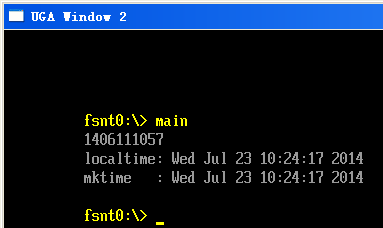
运行结果

time2

参考:

1.http://ganquan.info/standard-c/function/localtime
2.http://ganquan.info/standard-c/function/mktime

OpenCV 的cvCircle函数

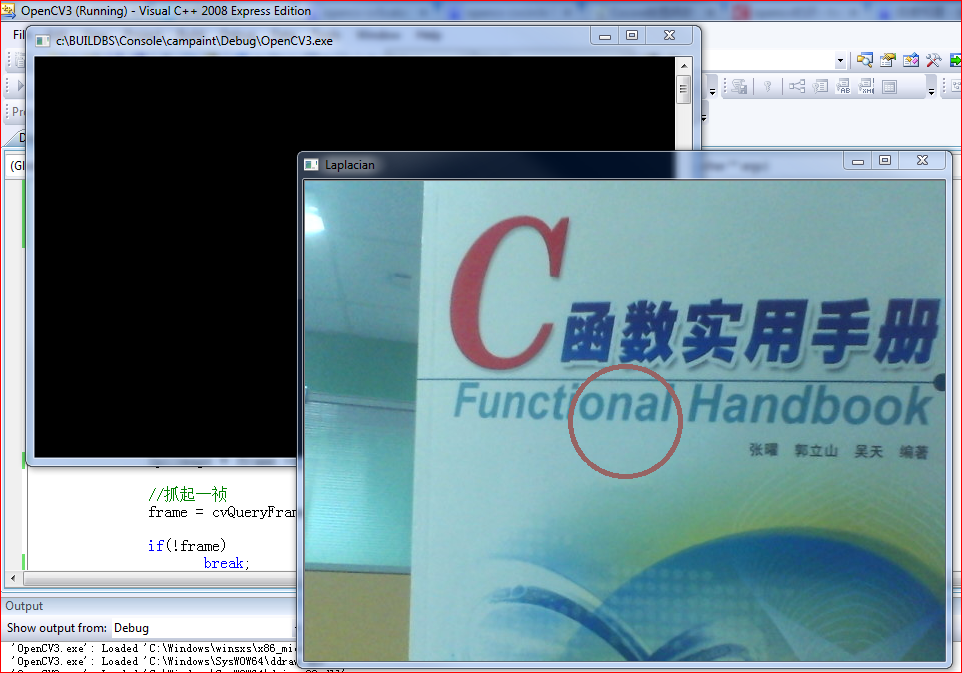
写了一个小程序,获得摄像头输出之后直接在上面画图。

cvCircle(CvArr* img, CvPoint center, int radius, CvScalar color, int thickness=1, int lineType=8, int shift=0)

img为图像指针,单通道多通道都行,不需要特殊要求
center为画圆的圆心坐标
radius为圆的半径
color为设定圆的颜色,比如用CV_RGB(255, 0,0)设置为红色

thickness为设置圆线条的粗细,值越大则线条越粗,为负数则是填充效果 【参考1】

#include "stdafx.h"
#include "highgui.h"
#include "cv.h"
#include "stdio.h"
#include <ctype.h>
 
int main(int argc,char ** argv)
{
		int	r=0;

       CvCapture *capture = 0;

	   //从摄像头读取
       capture = cvCaptureFromCAM(0);

 
       if(!capture)
       {
              fprintf(stderr,"Could not initialize capturing...\n");
              return -1;
       }
 
       cvNamedWindow("Laplacian",1);
 
       //循环捕捉,直到用户按键跳出循环体
       for(;;)
       {
              IplImage * frame =0;
             
              //抓起一祯
              frame = cvQueryFrame(capture);
 
              if(!frame)
                     break;

			  r>20?r=0:r++;


			  //画一个圈  
			  cvCircle(frame,cvPoint(frame->width / 2,frame->height /2 ), 45+abs(10-r), CV_RGB(150, 100,100), 4, 8, 0);

              cvShowImage("Laplacian",frame);
 
              if(cvWaitKey(10)>0)
                     break;
       }
       cvReleaseCapture(&capture);
       cvDestroyWindow("Laplacian");
       return 0;
}


campaint

参考:
1.http://blog.163.com/yuhua_kui/blog/static/9679964420141104385570/ OpenCV cvCircle函数
2.http://wiki.opencv.org.cn/index.php/Cxcore%E7%BB%98%E5%9B%BE%E5%87%BD%E6%95%B0 Cxcore绘图函数

如何在XP上部署OpenCV编写的程序

本文使用环境:

1. XP 下,VS2008
2. 只适合你用Release编译出来的结果,不适合Debug版本(因为我测试Debug版本在XP上始终无法成功,所以删除了所有相关的 *d.dll)
3. 只是简单的测试之类的(如果你想更专业,可以只分发用到的DLL;或者重新编译OpenCV生成 Lib,通过静态编译将内容添加到你的EXE中)

步骤:

1.按照Debug编译,然后在工作机上测试OK
2.将生成的 Release 目录下的全部内容拷贝到dll的目录下 OpenCVXPPackage
3.如果目标机之前没有安装过 VS2008 的支持包,需要先安装一次vcredist2008sp1
4.之后在目标机上运行生成的 EXE 即可

注意:
如果出现 “应用程序正常初始化(0xc0000135)失败。请单击‘确定’,终止应用程序”,请安装 Microsoft .NET Framework 2.0

vcredist2008sp1:
vcredist2008sp1

OpenCVXPPackage(其中包含了一个编译好的测试应用程序):
OpenCVXPPackage

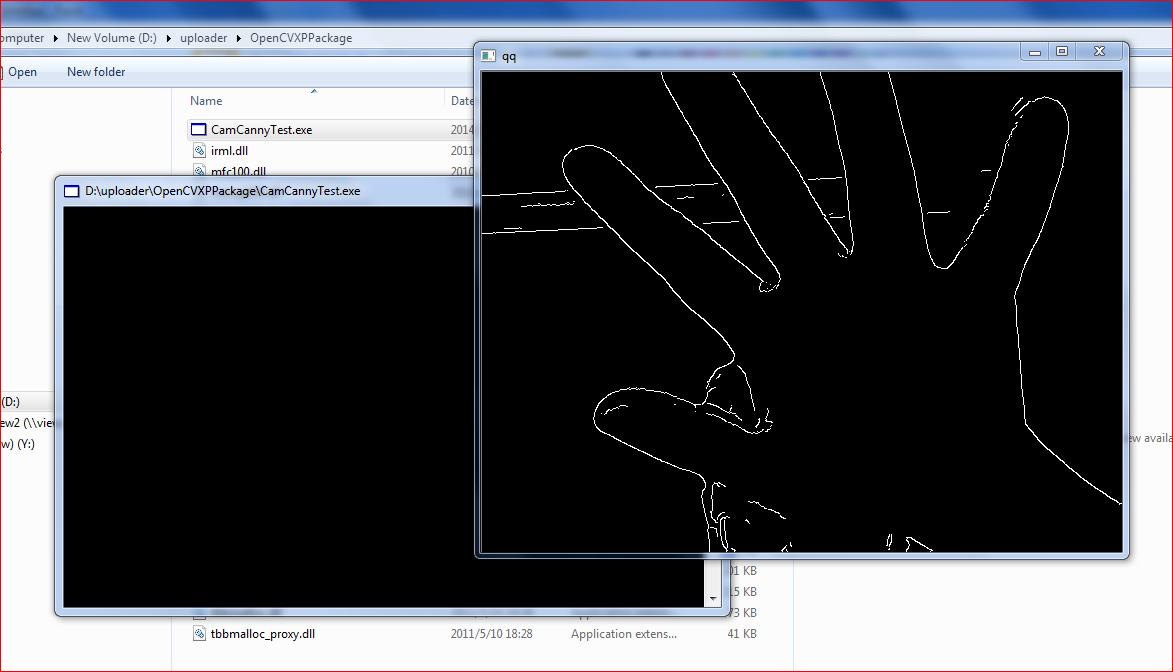
应用程序运行结果:
Capture

带有自动提示功能的手机座

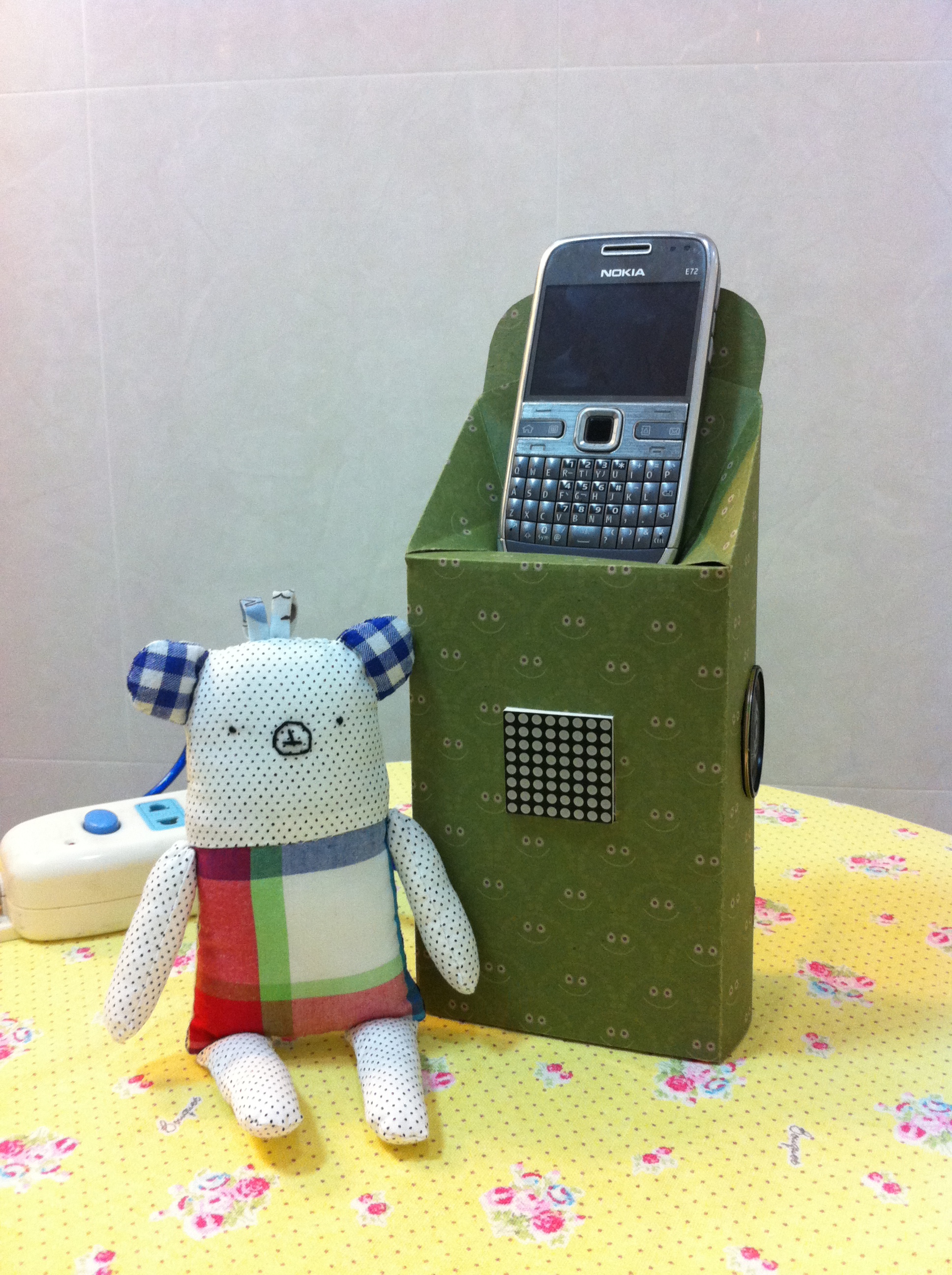
起因:有网友抱怨,因为陪着孩子在家玩,漏接了公司的重要电话,被罚款500(如果真的是人民币的话,我相信他一定乐于看到这个产品)

看到这个需求,我忽然想是否可以用 Arduino来打造一个能够提醒的盒子呢? 当然,解决方法还有很多,严小姐听了我的目标之后第一个反应是为什么不换一个山寨机,大屏幕啊有没有,超长待机啊有没有,八个喇叭啊有没有,只要499啊有没有。我回答有很多人喜欢老物件有感情而已。她又在问为什么,终于被我意味深长的眼神说服了。

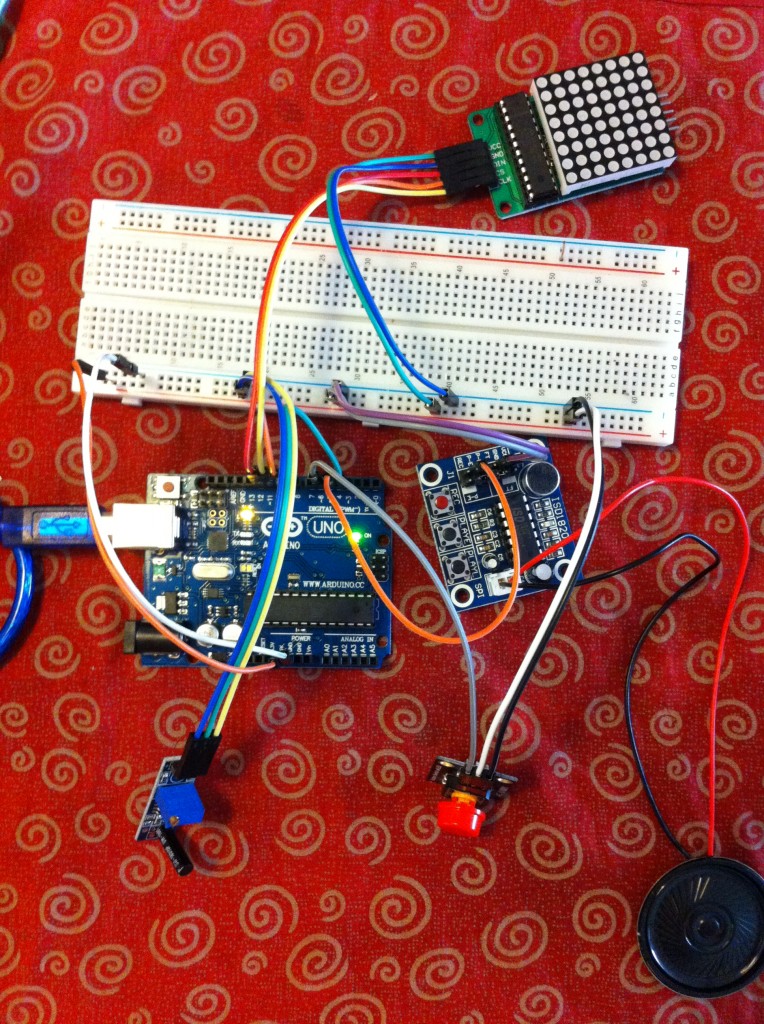
下面就开始动手实做了。从触发的角度来说最稳妥的办法还是安装APP,Android和iOS都是可行的,只是…….默默的轻抚了一下自己的 Nokia E72,放弃了这个方案。翻翻元件箱,里面有振动开关,那就凑合着用吧。提示方面,最近入手了一个具有录音放音功能的模块ISD1820,使用非常简单,GPIO足以搞定(多说一句,上面有麦克风和一个录音按钮,按下这个按钮对着它高歌一曲即记录在芯片中。时间比较短,只能记录10秒)。选用了 8×8 LED模块作为提示灯光,它在之前的《电子骰子系列》登场过。

原理上很简单,就是检测连续振动确定是振铃–>触发装置,每隔10秒提示一次–>如果有人按下Stop按钮就停止提示。

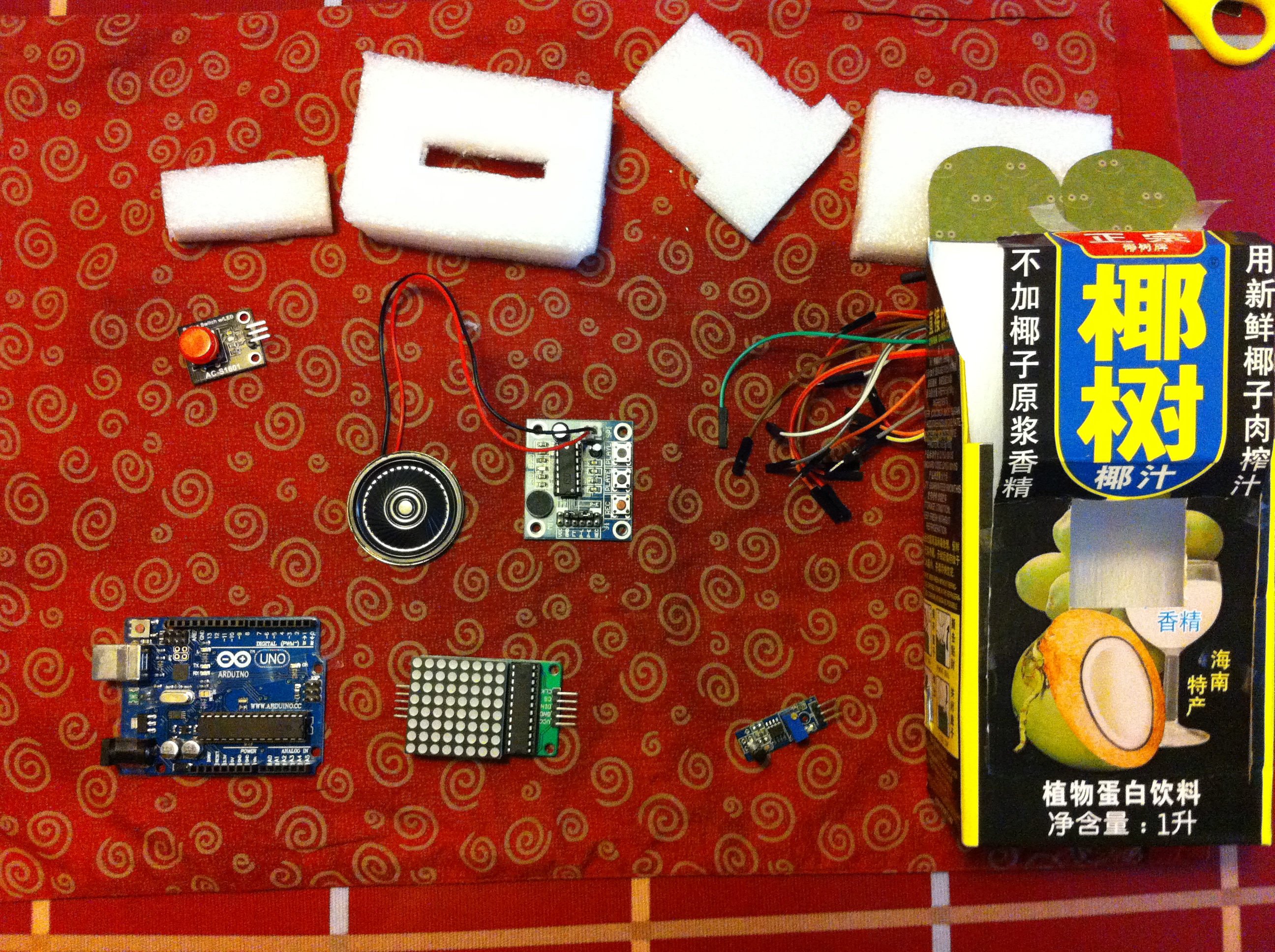
用到的配件
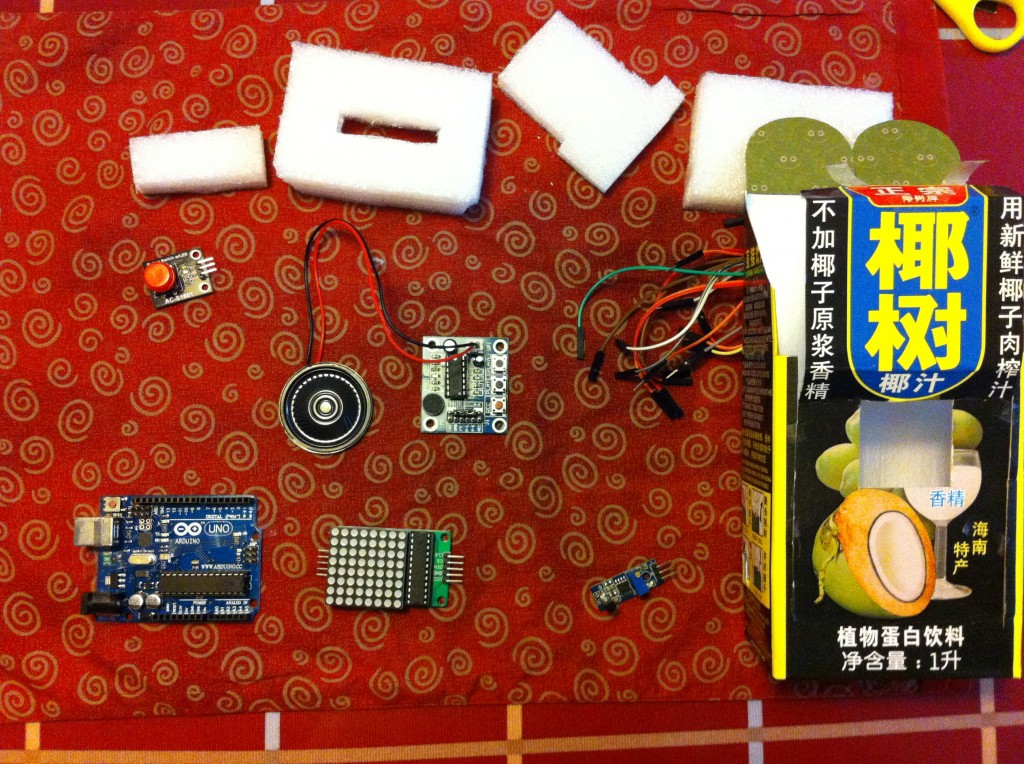
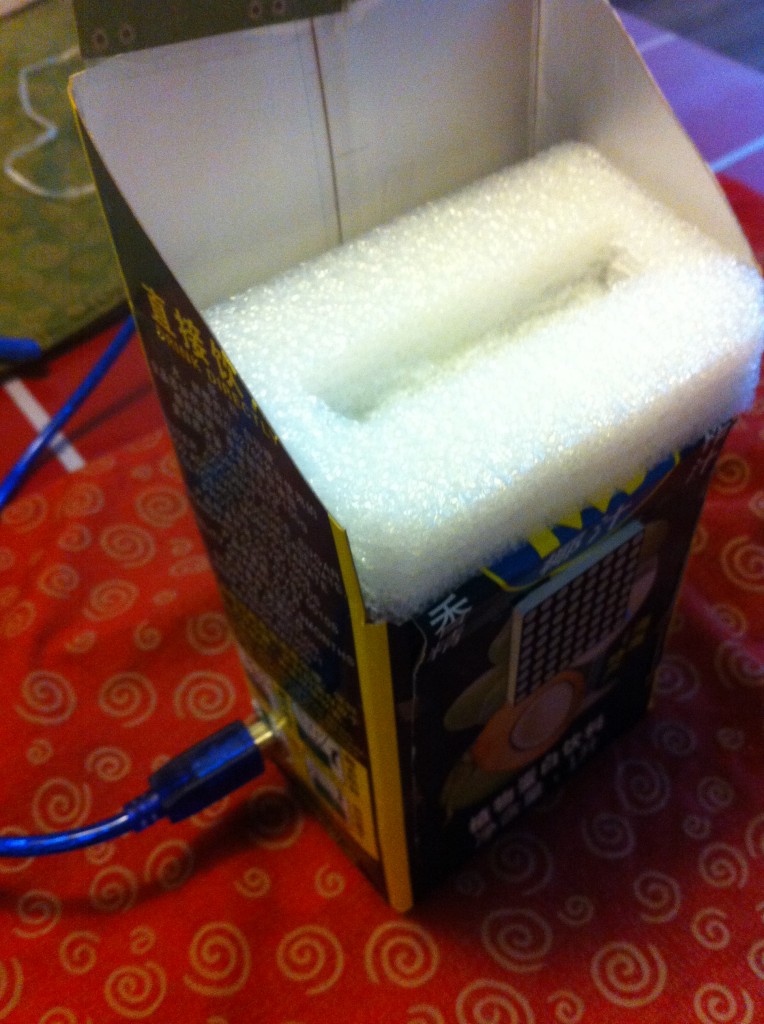
IMG_2553

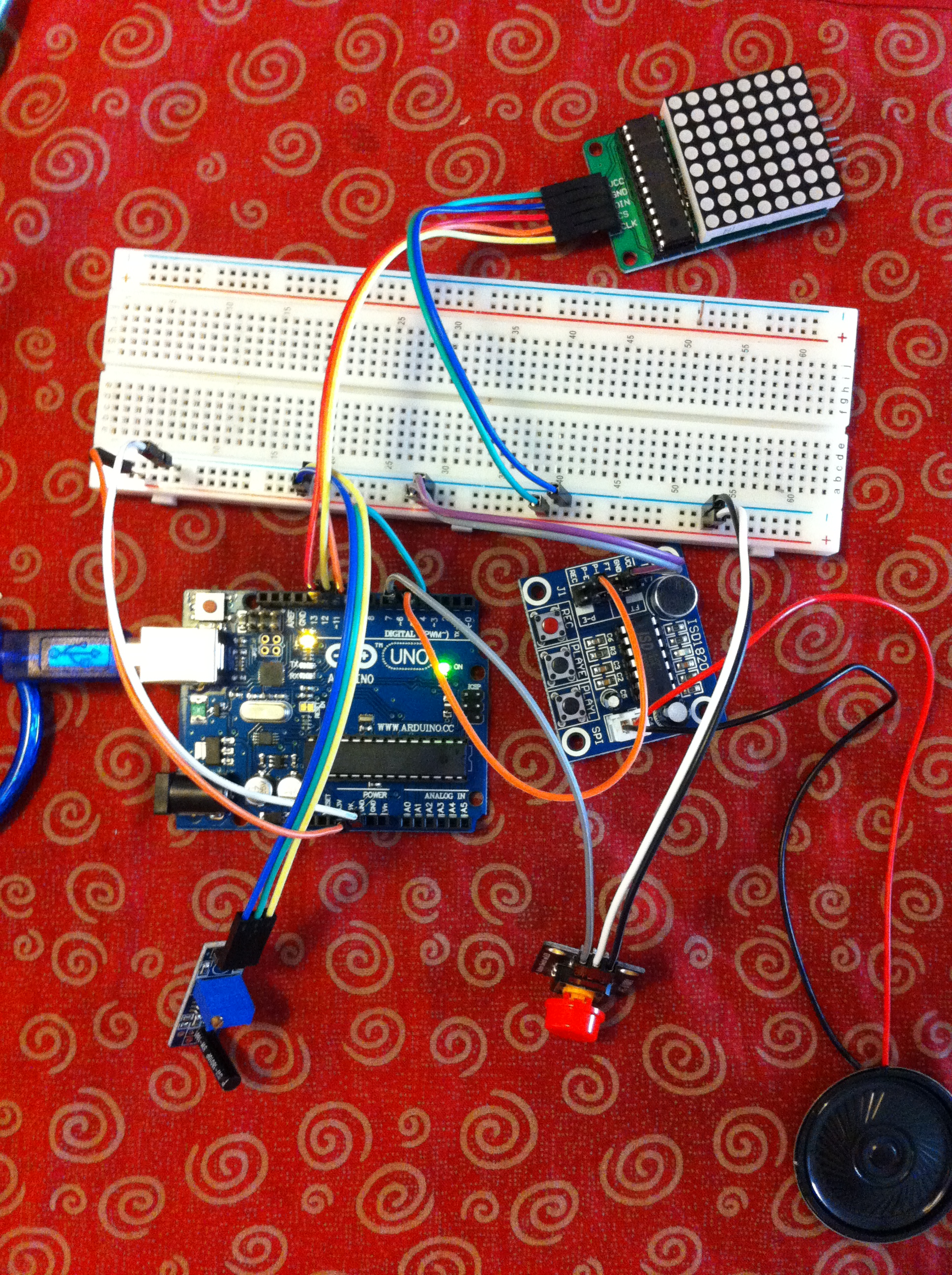
用面包板来验证电路

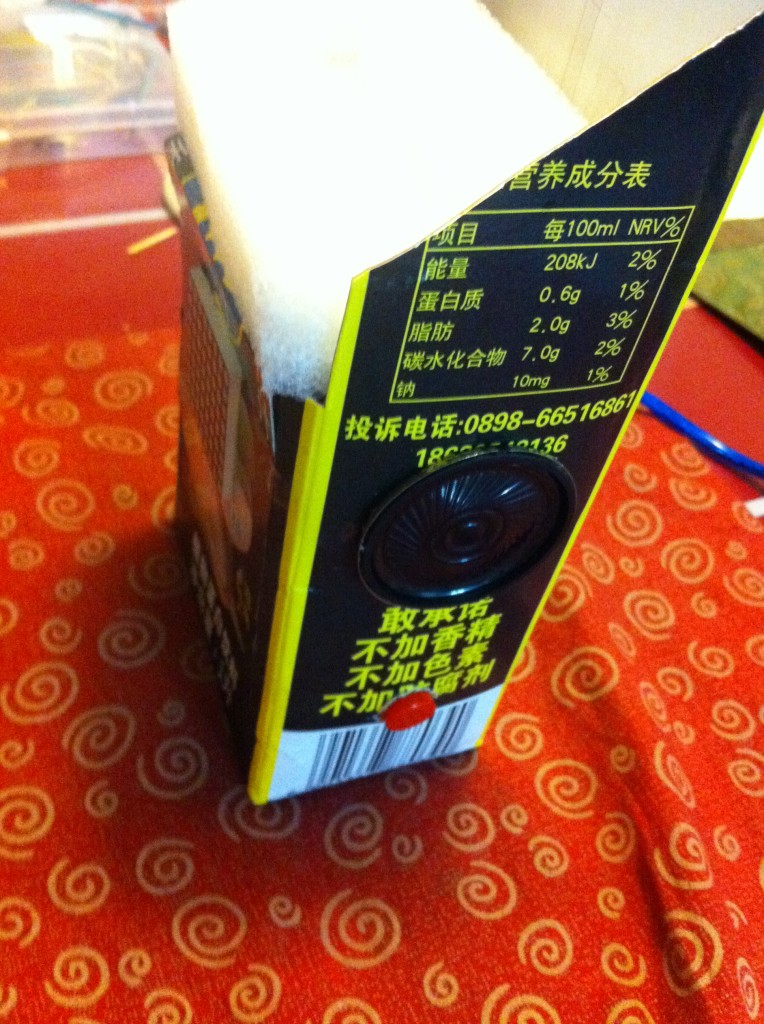
IMG_2502


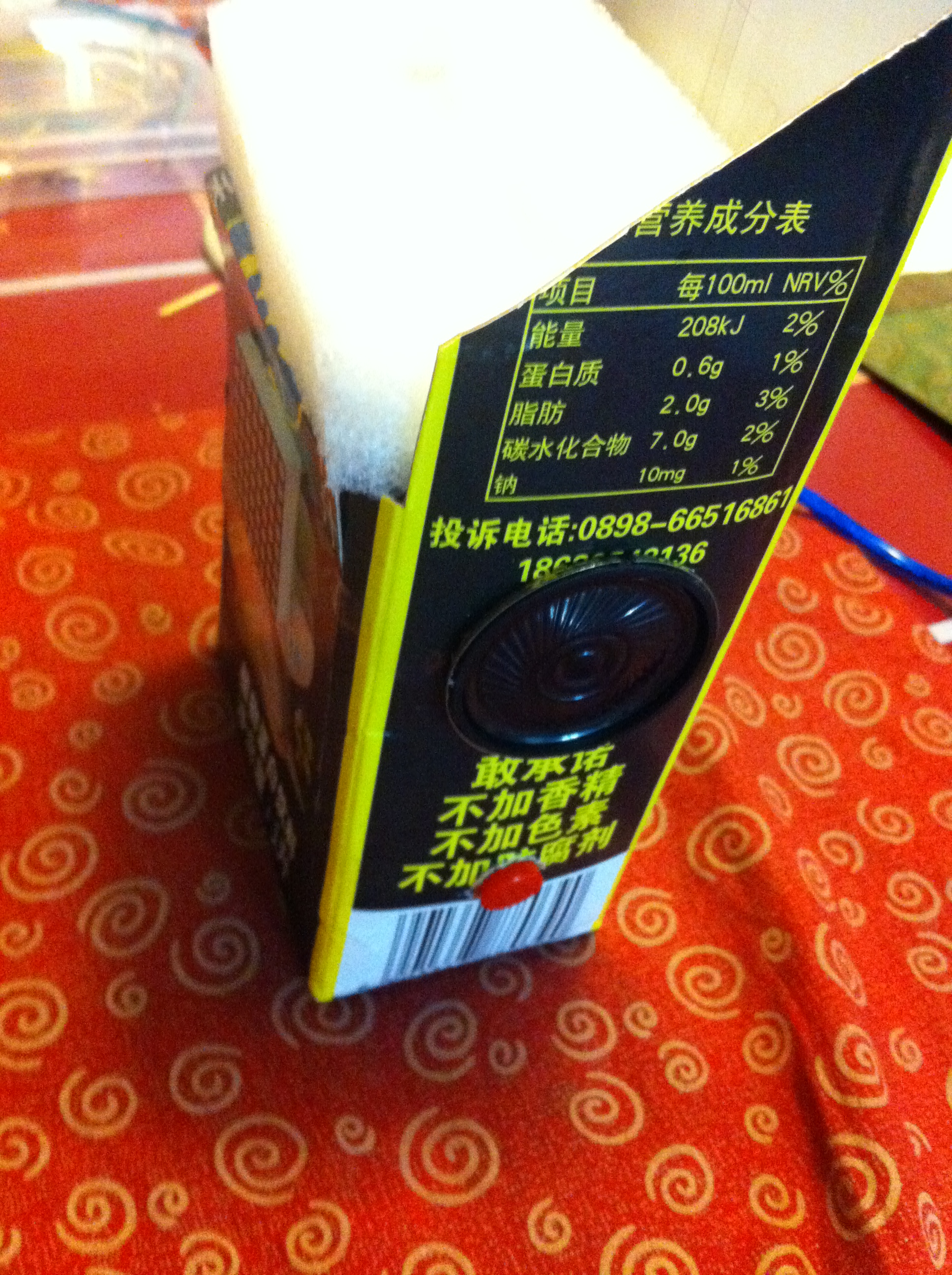
侧面有一个喇叭,一个按钮

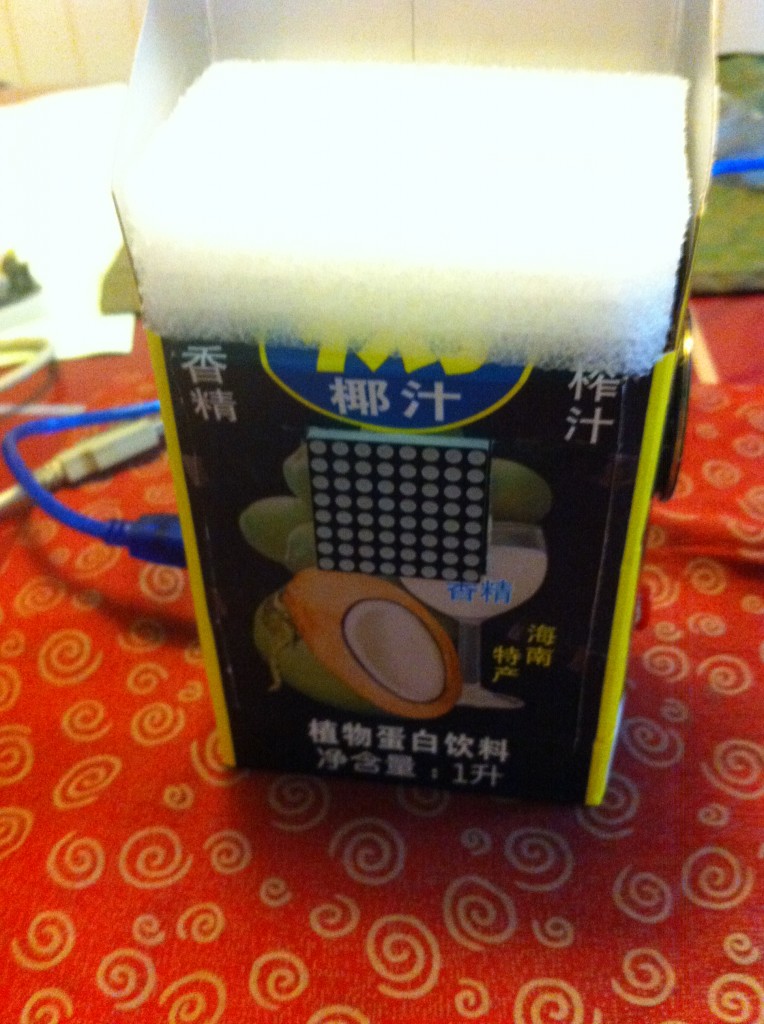
IMG_2517


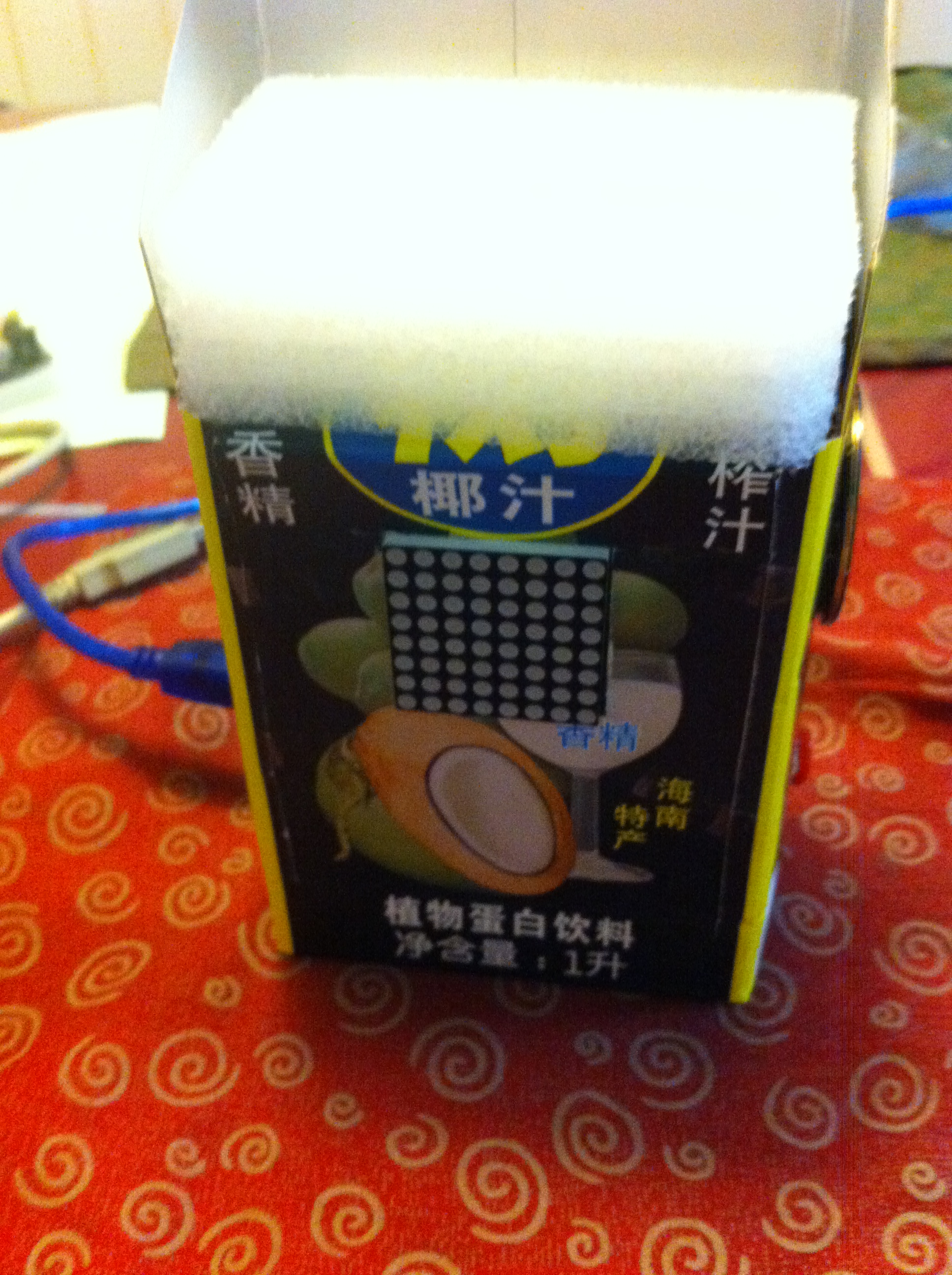
正面俯视,有一个 8×8点阵


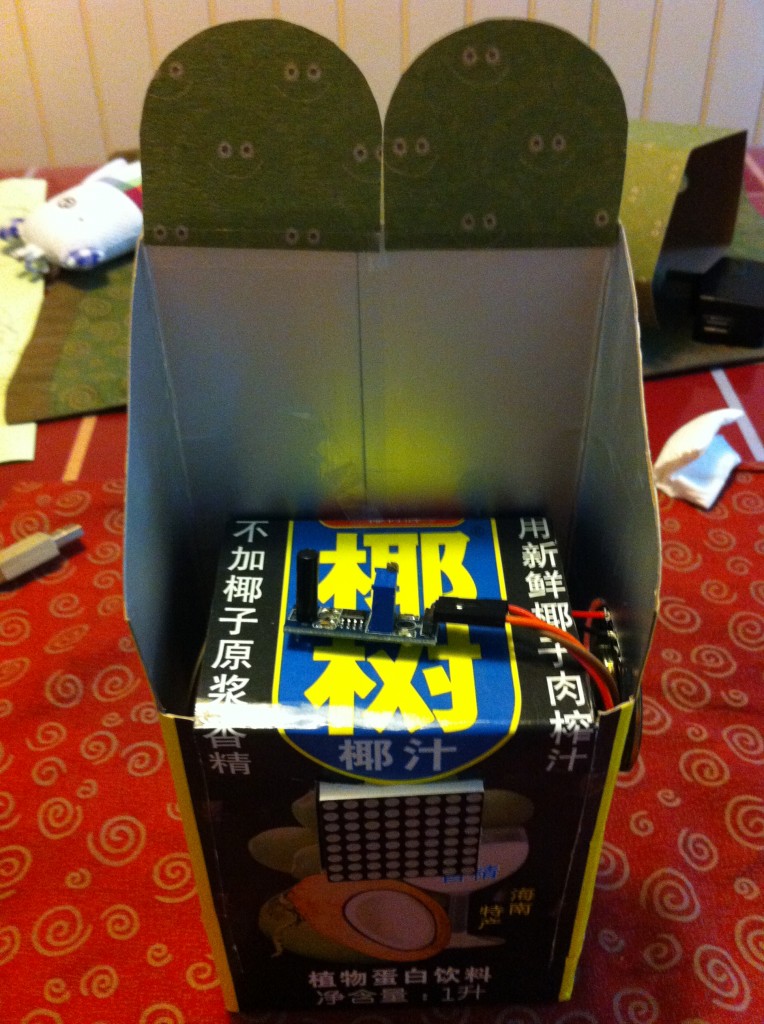
IMG_2518


振动传感器

IMG_2550


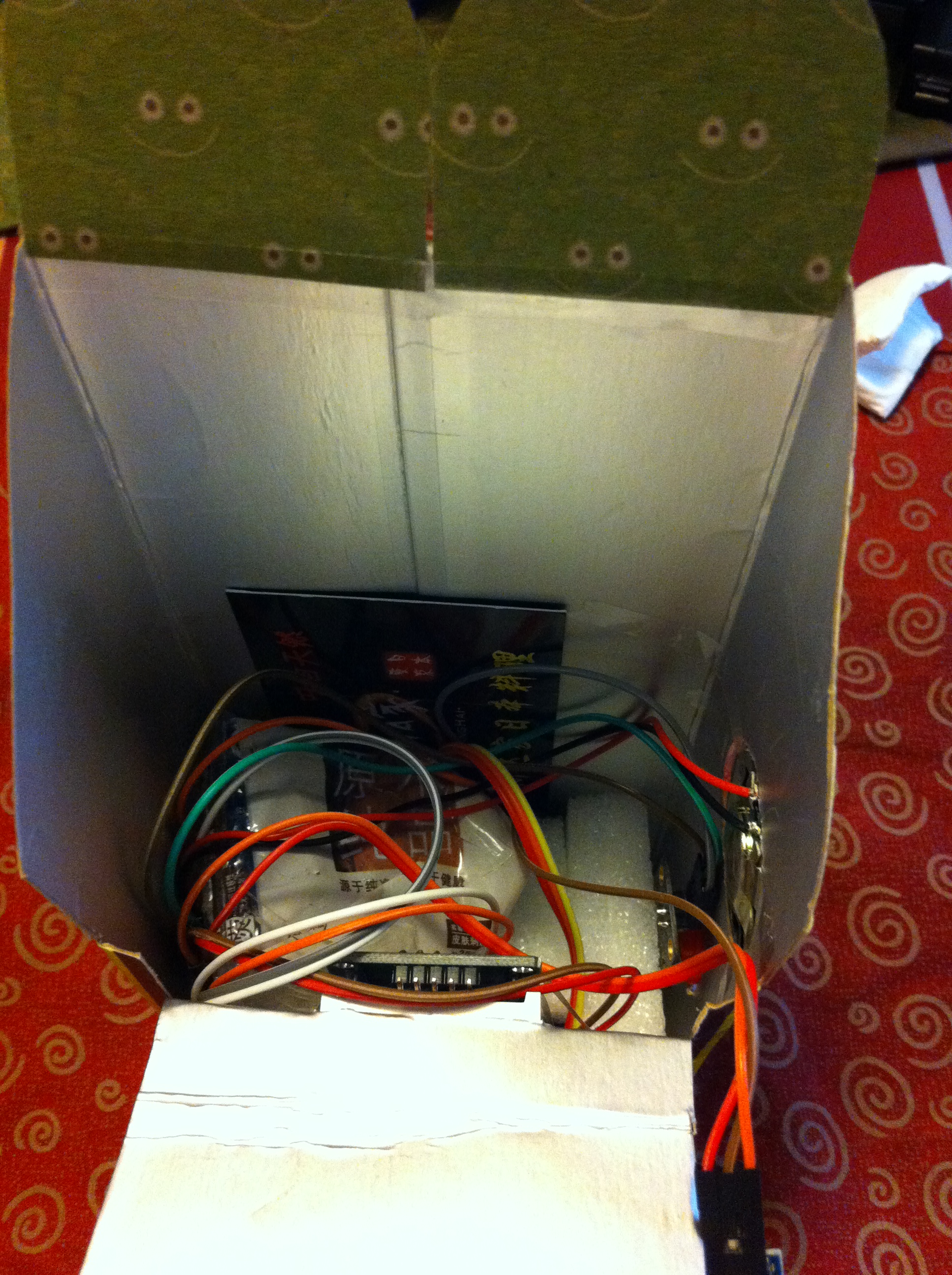
内部线路看起来有点复杂

IMG_2551


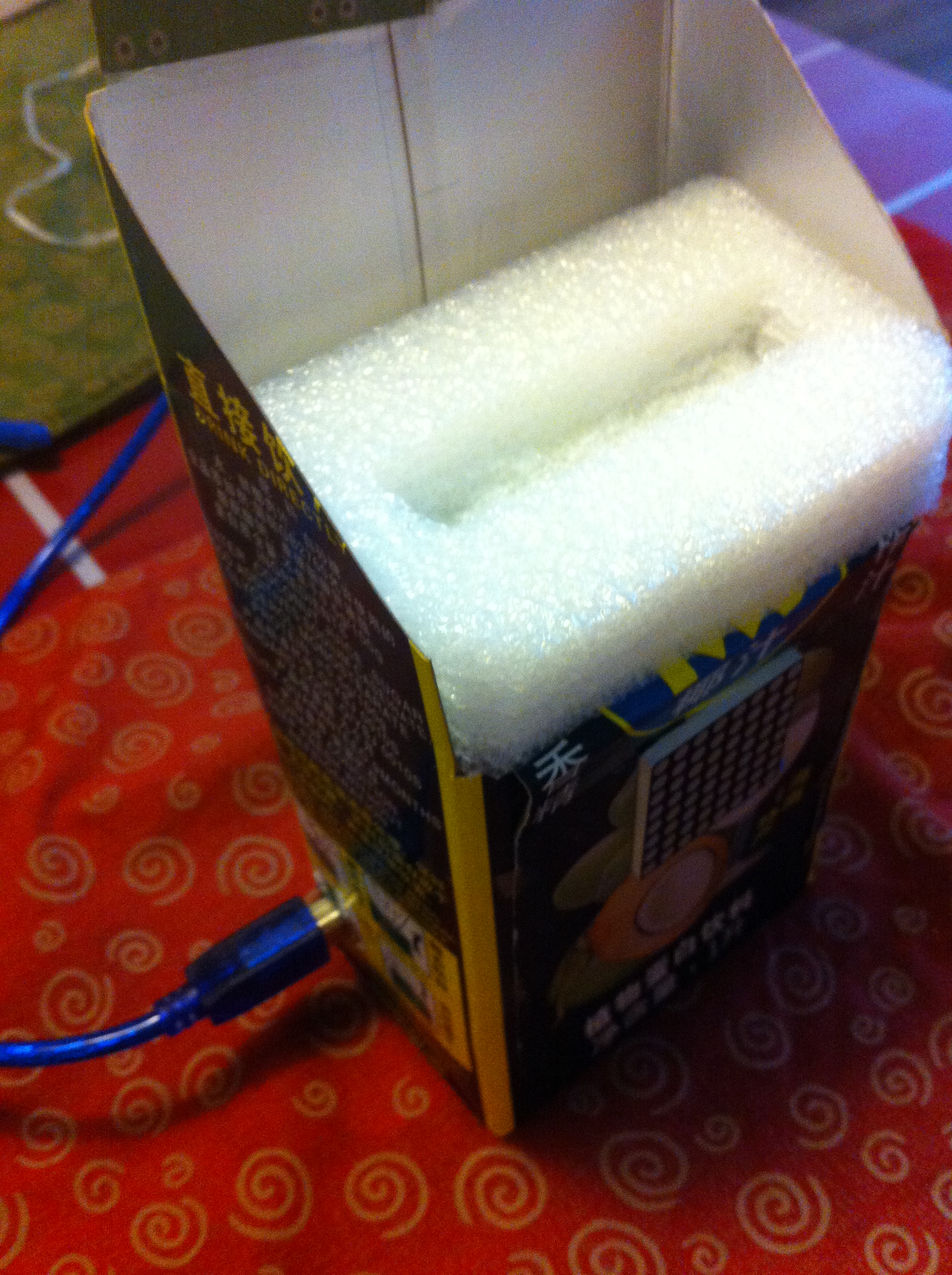
另外一边做出一个洞,给 Arduino供电


IMG_2516


#include "LedControl.h"

const int ShockTestPin = 4; //Pin for vibration sensor
const int AlartPin = 5;     //LED Alert
const int StopPin = 6;      //Stop button
int sta=0;

//pin 12 is connected to the DataIn
//pin 11 is connected to the CLK
//pin 10 is connected to LOAD
//We have only a single MAX72XX.
LedControl lc=LedControl(12,11,10,1);

void showface() {
/* here is the data for the characters */
byte face[8]={
B00000100,
B00100010,
B01000110,
B01000000,
B01000000,
B01000110,
B00100010,
B00000100};

lc.setRow(0,0,face[0]);
lc.setRow(0,1,face[1]);
lc.setRow(0,2,face[2]);
lc.setRow(0,3,face[3]);
lc.setRow(0,4,face[4]);
lc.setRow(0,5,face[5]);
lc.setRow(0,6,face[6]);
lc.setRow(0,7,face[7]);

}

void setup() {

  Serial.begin(9600);

  pinMode(ShockTestPin, INPUT);   
  pinMode(AlartPin,OUTPUT);
  digitalWrite(AlartPin,LOW),
  pinMode(StopPin,INPUT);  //Stop pin for input

  //The MAX72XX is in power-saving mode on startup,
  //we have to do a wakeup call

  lc.shutdown(0,false);
  //Set the brightness to a medium values
  lc.setIntensity(0,8);
  //and clear the display
  lc.clearDisplay(0);

} // End of Setup

void loop() {
 long int start;
  
  if (0==sta) {       //Status One: Test status
     boolean shock=false;
     
     start=millis();
     while (millis()-start<=1000L) { //Test vibration for 1 second 
        if (LOW==digitalRead(ShockTestPin)) {  //If there is virbration signal
          shock=true;                          //Mark true
          break;
        } //if (LOW==digitalRead(ShockTestPin))
     }   
     if (false==shock) {sta=0; goto Sta1End;}    //If in the one seconds there is no vibration, it should break
     delay(500);
     
     start=millis();
     while (millis()-start<=1000L) { //Test vibration for 1 second 
        if (LOW==digitalRead(ShockTestPin)) {  //If there is virbration signal
          shock=true;                          //Mark true
          break;
        } //if (LOW==digitalRead(ShockTestPin))
     }   
     if (false==shock) {sta=0; goto Sta1End;}    //If in the one seconds there is no vibration, it should break
     delay(500);

     start=millis();
     while (millis()-start<=1000L) { //Test vibration for 1 second 
        if (LOW==digitalRead(ShockTestPin)) {  //If there is virbration signal
          shock=true;                          //Mark true
          break;
        } //if (LOW==digitalRead(ShockTestPin))
     }   
     if (false==shock) {sta=0; goto Sta1End;}    //If in the one seconds there is no vibration, it should break
     delay(500);
    
     //It means we have test vibration in 3 seconds 
     sta=1;
  Sta1End:
      ;  
  }
  
  if (1==sta) {
      //Play the voice that we have record
      digitalWrite(AlartPin,LOW);
      digitalWrite(AlartPin,HIGH);
      delay(100);
      digitalWrite(AlartPin,LOW);
      
      //Delay 10 seconds
      start=millis();
     
      while (millis()-start<=15000L)
      {
        if (LOW==digitalRead(StopPin)) { //We will stop the playing ,if we test the stop button is pressed
          sta=0;
          lc.clearDisplay(0);   
          break;
        }
        if (0==(millis()-start)/1000L % 2) {
           showface(); 
        }
       else
        {
            lc.clearDisplay(0);          
        } 
      }//while (millis()-start<=15000L)

  }//if (1==sta)
}


具体的使用方法拍了一个简单的视频,本人倾力献

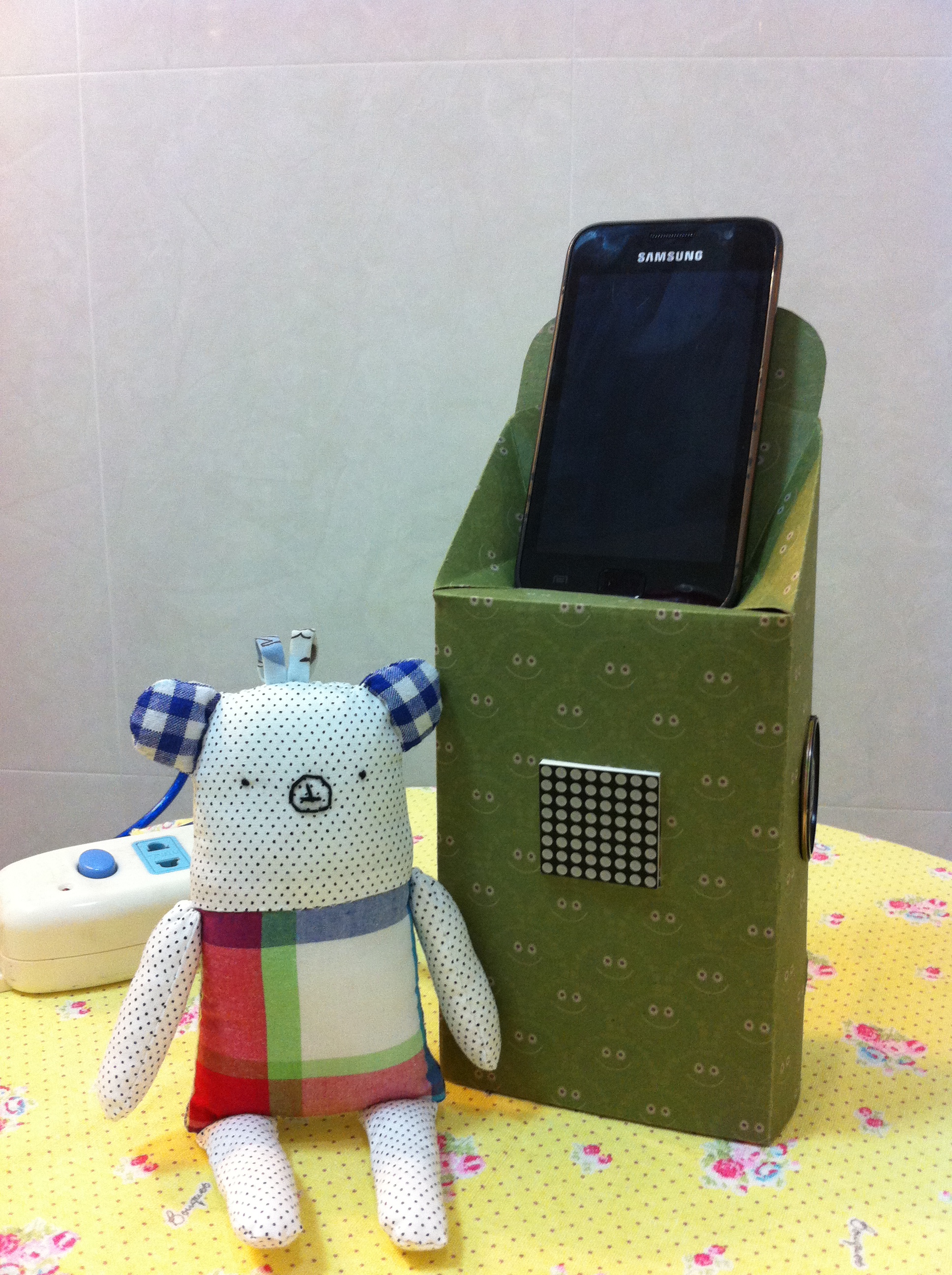
最后放两张靓照

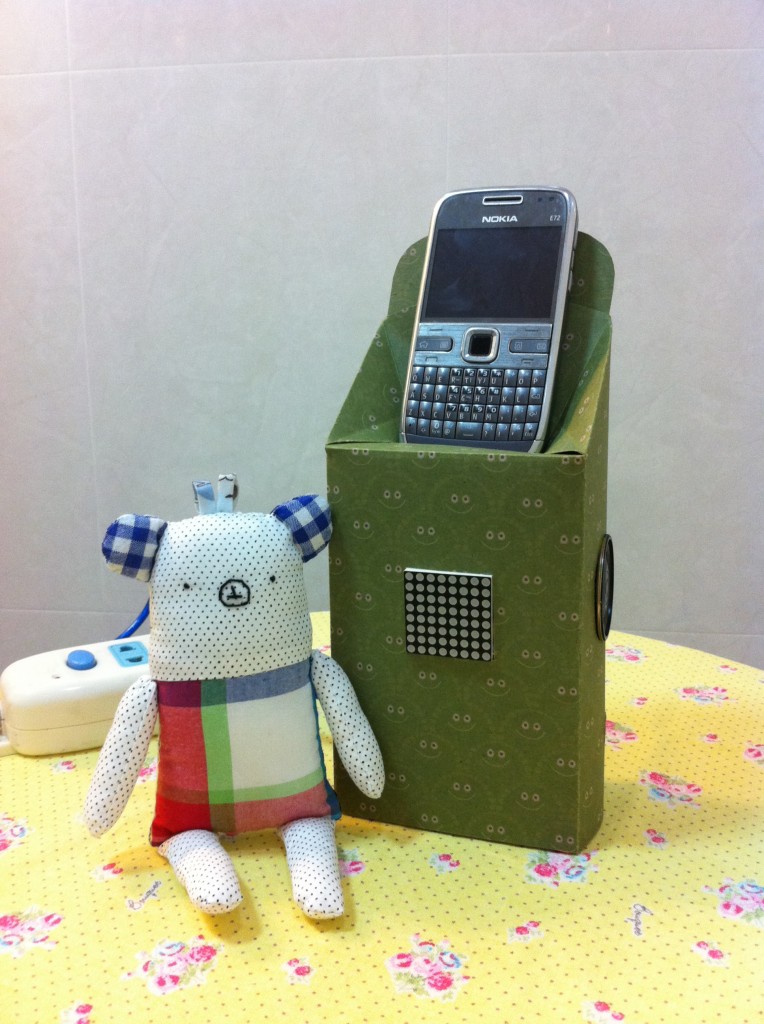
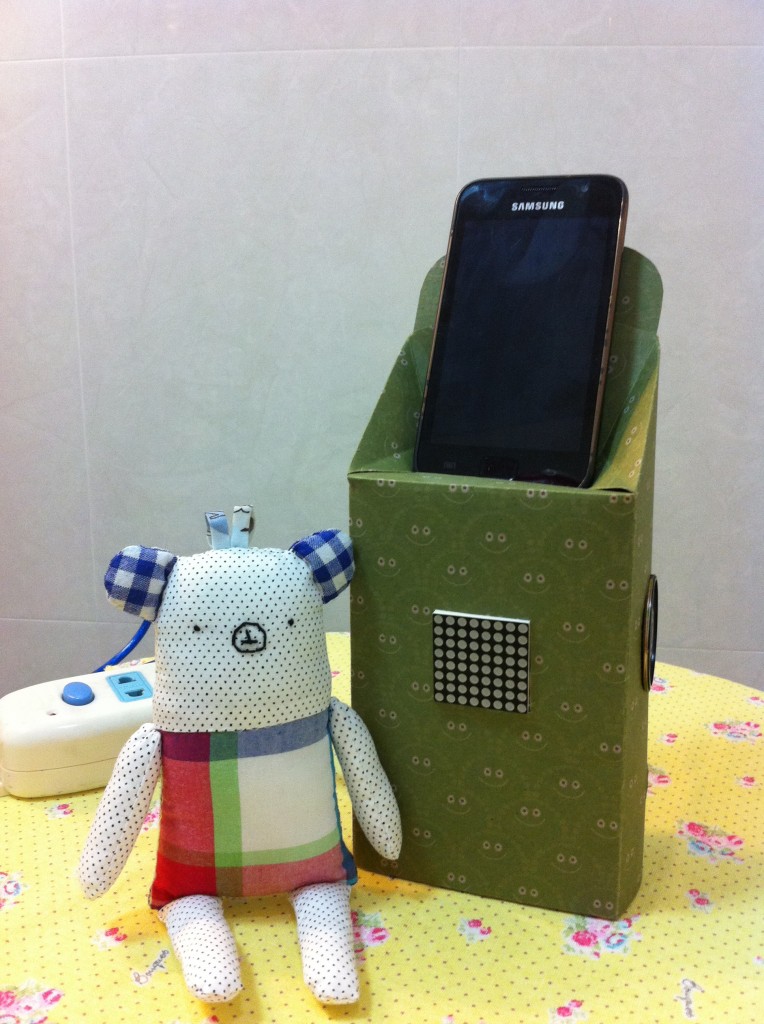
IMG_2544

IMG_2547

这只是很粗糙的原型,如果真想做出来实用的还有很长的路要走。比如:让检测更灵敏更可靠,或者干脆使用手机的声音作为触发条件。提示音量再大一些。或者再加上充电功能就更加实用,也给需要一直插着让Arduino供电找到更好的借口。

然后严小姐的问题是:如果忽然有很强的振动,误触发了怎么办,如果家里确实没有人它又一直在叫怎么办,如果隔壁在装修,有振动有噪音怎么办?好吧,如果你肯再品准500+以上的预算,让我买块蓝牙开发板,我相信一定不是问题。哦,对了还要换一个支持Android的手机才好啊。

VS2008 + hidsdi.h 的问题

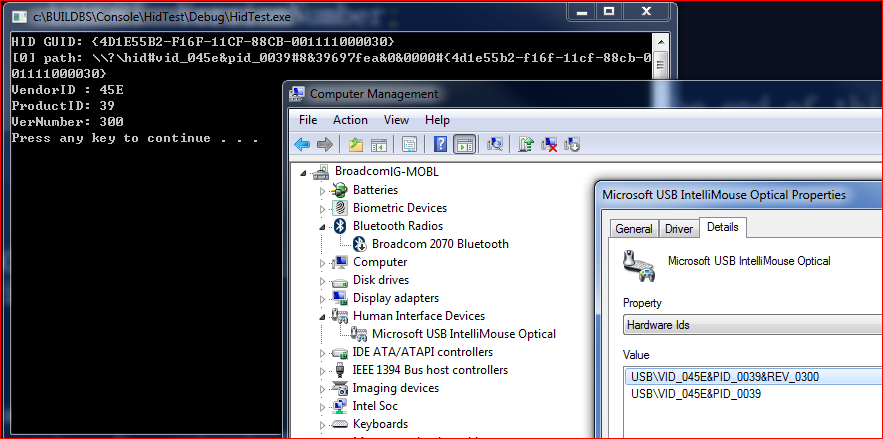
目标:编写一个枚举系统中所有USB HID设备的程序。在编写过程中遇到编译链接无法通过的情况,尝试各种方法都不成功。 Google上不去,Baidu的方法基本上都尝试了一遍,产生问题的原因大约是 DDK(3790.1830 算是比较老的版本)中的库和VS2008(Express版本)有冲突。最后琢磨了一下,不妨直接将用到的 Lib 和函数(这个例子只用了一个HidD_GetHidGuid,在 hidsdi.h 中定义),直接放到程序中。结果居然很好用~

#include "stdafx.h"
#include <stdio.h>
#include <tchar.h>
#include <windows.h>
#include <setupapi.h>
extern "C" {
void __stdcall
HidD_GetHidGuid (
   OUT   LPGUID   HidGuid
   );
typedef struct _HIDD_ATTRIBUTES {
    ULONG   Size; // = sizeof (struct _HIDD_ATTRIBUTES)

    //
    // Vendor ids of this hid device
    //
    USHORT  VendorID;
    USHORT  ProductID;
    USHORT  VersionNumber;

    //
    // Additional fields will be added to the end of this structure.
    //
} HIDD_ATTRIBUTES, *PHIDD_ATTRIBUTES;

BOOLEAN __stdcall
HidD_GetAttributes (
    IN  HANDLE              HidDeviceObject,
    OUT PHIDD_ATTRIBUTES    Attributes
    );
}

#pragma comment( lib, "hid.lib" )
#pragma comment( lib, "setupapi.lib" )

#define ShowError() ShowError_(_T(__FILE__),__LINE__)

void ShowError_(LPCTSTR file, long line)
{
    LPVOID lpMsgBuf;
    FormatMessage( FORMAT_MESSAGE_ALLOCATE_BUFFER|FORMAT_MESSAGE_FROM_SYSTEM|FORMAT_MESSAGE_IGNORE_INSERTS
        , NULL, GetLastError(), 0, (LPTSTR)&lpMsgBuf, 0, NULL );
    _tprintf( _T("---ERROR %s(%ld): %s\n"), file, line, (LPCTSTR)lpMsgBuf );
    LocalFree( lpMsgBuf );
}

int main(array<System::String ^> ^args)
{
	 GUID HidGuid;

	//获取HID设备的接口类GUDI
		HidD_GetHidGuid(&HidGuid);
	//输出一下看看GUID
		printf("HID GUID: {%08X-%04X-%04X-%02X%02X-%02X%02X%02X%02X%02X%02X}\n"
		   , HidGuid.Data1, HidGuid.Data2, HidGuid.Data3
		   , HidGuid.Data4[0], HidGuid.Data4[1], HidGuid.Data4[2], HidGuid.Data4[3], HidGuid.Data4[4]
		   , HidGuid.Data4[5], HidGuid.Data4[6], HidGuid.Data4[7] );
	
	//根据获得的GUID枚举HID设备
	HDEVINFO hDevInfo = SetupDiGetClassDevs( &HidGuid, NULL, 0, DIGCF_PRESENT|DIGCF_DEVICEINTERFACE );
    if( INVALID_HANDLE_VALUE != hDevInfo )
    {
        SP_DEVICE_INTERFACE_DATA strtInterfaceData = { sizeof(SP_DEVICE_INTERFACE_DATA) };
        for( DWORD index=0; SetupDiEnumDeviceInterfaces(hDevInfo,NULL,&HidGuid,index,&strtInterfaceData); ++index )
        {
            char buf[1000];
            SP_DEVICE_INTERFACE_DETAIL_DATA& strtDetailData = (SP_DEVICE_INTERFACE_DETAIL_DATA&)buf[0];
            strtDetailData.cbSize = sizeof(SP_DEVICE_INTERFACE_DETAIL_DATA);
            if( SetupDiGetDeviceInterfaceDetail(hDevInfo,&strtInterfaceData,&strtDetailData,_countof(buf),NULL,NULL) )
            {
                _tprintf( _T("[%d] path: %s\n"), index, strtDetailData.DevicePath );

                HANDLE hUsb = CreateFile( strtDetailData.DevicePath, 0//GENERIC_READ|GENERIC_WRITE
                    , FILE_SHARE_READ|FILE_SHARE_WRITE, NULL, OPEN_EXISTING, FILE_ATTRIBUTE_NORMAL, NULL );
                if( INVALID_HANDLE_VALUE != hUsb )
                {
                    // 查询设备标识
                    HIDD_ATTRIBUTES strtAttrib = { sizeof(HIDD_ATTRIBUTES) };
                    if( HidD_GetAttributes(hUsb,&strtAttrib) )
                    {
                        _tprintf( _T("VendorID : %hX\n"), strtAttrib.VendorID );
                        _tprintf( _T("ProductID: %hX\n"), strtAttrib.ProductID );
                        _tprintf( _T("VerNumber: %hX\n"), strtAttrib.VersionNumber );
                    }
                    else
                        ShowError();

                    CloseHandle( hUsb );
                }
                else
                    ShowError();
            }
            else
                ShowError();
        }
        if( GetLastError() != ERROR_NO_MORE_ITEMS )
            ShowError();

        SetupDiDestroyDeviceInfoList( hDevInfo );
    }
    else
        ShowError();

	system("PAUSE");
    return 0;
}


下载 HidTest

参考:

1.http://blog.csdn.net/xuxinhua/article/details/6329182 转: vs2008 hidsdi.h 问题

Step to UEFI (12) —- EADK 中的 Time 函数

这次的工作是基于 EADK 的,编译借用EADK的环境这样做有编译速度快,测试方便的优点,具体配置请参考 ”http://www.lab-z.com/how-to-use-eadk/“

关于 time_t 的定义可以在 \EadkPkg_A2\StdLib\Include\time.h 中看到。测试了一下,sizeof(time_t) == 4。

time()函数取得的结果是当前系统的时间,具体的定义是:返回从GMT1970年1月1日 0:0:0 开始经过的秒数表示的当前时间和日期。

下面可以看到 time() 有两种用法。

代码如下,很简单

/** @file
    A simple, basic, application showing how the Hello application could be
    built using the "Standard C Libraries" from StdLib.

    Copyright (c) 2010 - 2011, Intel Corporation. All rights reserved.<BR>
    This program and the accompanying materials
    are licensed and made available under the terms and conditions of the BSD License
    which accompanies this distribution. The full text of the license may be found at
    http://opensource.org/licenses/bsd-license.

    THE PROGRAM IS DISTRIBUTED UNDER THE BSD LICENSE ON AN "AS IS" BASIS,
    WITHOUT WARRANTIES OR REPRESENTATIONS OF ANY KIND, EITHER EXPRESS OR IMPLIED.
**/
//#include  <Uefi.h>
//#include  <Library/UefiLib.h>
//#include  <Library/ShellCEntryLib.h>

#include  <stdio.h>
#include  <time.h>

/***
  Demonstrates basic workings of the main() function by displaying a
  welcoming message.

  Note that the UEFI command line is composed of 16-bit UCS2 wide characters.
  The easiest way to access the command line parameters is to cast Argv as:
      wchar_t **wArgv = (wchar_t **)Argv;

  @param[in]  Argc    Number of argument tokens pointed to by Argv.
  @param[in]  Argv    Array of Argc pointers to command line tokens.

  @retval  0         The application exited normally.
  @retval  Other     An error occurred.
***/
int
EFIAPI
main (
  IN int Argc,
  IN char **Argv
  )
{

  time_t t;

  time(&t);

  printf("%ld\n",t);

  t=time(NULL);

  printf("%s\n",ctime(&t));

  return 0;
}


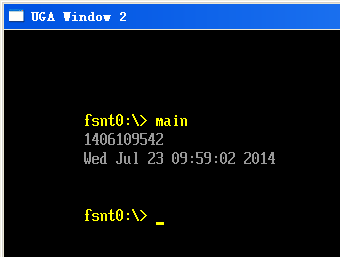
运行结果

time

下载

main

参考:

1.http://ganquan.info/standard-c/function/time Standard C 语言标准函数库速查 (Cheat Sheet)

2.书籍 《C函数实用手册》 个人感觉这本书不错,蛮实用,实例详尽。缺点是缺少一些新的C函数,可能是因为这本书目标是TC,并且是2003年的书籍。当初是为了用 Turbo C 所以才买的.