介绍一个好用的 ACPIDUMP 工具


前一段拿到了 DFRobot的CurieNano控制板。除了控制器,还有两个徽章以及多功能便携工具卡:
可以看到这次的主角 Curie Nano 非常小巧,但是功能和全尺寸的 Arduino 101 相比毫不逊色。接下来我就使用这块小板子完成直接播放声音的功能,之前我在【参考1】中介绍过。 唯一的问题是直接寄存器仿佛古文一般面目可憎,又好比英文小说,每一个字母都认识,但是放在一起变成了天书。 仔细捋了一下原理,重新编写了一次。
从原理出发,声音播放就是在特定的频率下(通常大于8000Hz),将数字量化后的信号按照模拟的方式输出。而对于Arduino 来说,最简单的模拟输出就是用PWM。参考1的代码用了一个定时器,8000Hz触发一次,这样整体的代码非常复杂。我们修改为循环,输出之后做足够的延时(1/8000=125us),实际上的输出也是8000Hz,但是整体变得直观和容易理解多了。此外,默认的 PWM输出频率过小(关于 Curie的PWM我会另外介绍),这会导致analogWrite输出的PWM还没有来得及输出完整的一个周期下面的数据就过来。因此,需要升高PWM的频率。对于101 来说,使用analogWriteFrequency(Pin,Frequency);即可指定输出的 PWM 频率(意想不到的简单)。
首先,我们要大概估计一下空间,编写下面这样的简单代码:
void setup() {
analogWriteFrequency(OUTPIN, 64000);
}
void loop() {
}
剩余空间差不多有 155648-48016=107632 Bytes,大概可以存放107632/8000=13.4秒的声音(实际上还有额外库函数的开销,实际写代码根据编译结果删除了很多数据)。
![]()
硬件连接上非常简单:Uno 的地接在喇叭负极标志处上,然后随便选一个 支持PWM的引脚作为输出,这里我选择的是Pin9接在喇叭的正极标记处。
播放的内容是罗大佑的《恋曲1990》,首先用工具将音频转化为 8000Hz,8Bits,然后用【参考4】的工具转化数据为 C的格式,放置在代码中即可。
不完整的程序如下:
#define OUTPIN 9
const unsigned char sample[] PROGMEM =
{
0x80, 0x80, 0x84, 0x85, 0x85, 0x83, 0x83, 0x81, 0x82, 0x83, 0x85, 0x82, 0x80, 0x7F, 0x7F, 0x80, 0x83, 0x81, 0x81, 0x80, 0x7F, 0x85, 0x87, 0x87, 0x86, 0x84, 0x84, 0x87, 0x84, 0x82, 0x81, 0x80,
0x82, 0x87, 0x88, 0x88, 0x89, 0x84, 0x80, 0x7F, 0x80, 0x81, 0x82, 0x82, 0x83, 0x82, 0x83, 0x84, 0x83, 0x82, 0x80, 0x7F, 0x7D, 0x7A, 0x78, 0x75, 0x74, 0x72, 0x72, 0x74, 0x75, 0x73, 0x70, 0x70,
//很多很多数据
0x7C, 0x76, 0x76, 0x7C, 0x76, 0x72, 0x77, 0x79, 0x77, 0x7B, 0x7F, 0x84, 0x87, 0x85, 0x7F, 0x85, 0x88, 0x86, 0x82, 0x81, 0x83, 0x82, 0x80, 0x7F, 0x82, 0x80, 0x7A, 0x74, 0x73, 0x74, 0x77, 0x7A,
0x84, 0x88, 0x87, 0x83, 0x85, 0x8B, 0x90, 0x91, 0x8F, 0x8A, 0x8A, 0x88, 0x88, 0x82, 0x7F, 0x7D, 0x74, 0x6D, 0x6A, 0x67, 0x6B, 0x6E, 0x74, 0x75, 0x74, 0x6F, 0x70, 0x73, 0x77, 0x7B, 0x7B, 0x7B,
}
void setup()
{
analogWriteFrequency(OUTPIN, 64000);
}
void loop()
{
for (unsigned int i = 0; i < sizeof(sample); i++)
{
analogWrite(OUTPIN, pgm_read_byte(&sample));
delayMicroseconds(125);
}
}
整个程序源代码500K。
完整代码下载:
针对这种代码的调试上有一些建议:
1. 最好使用歌曲作为素材,理由是单纯的音乐通常无法分清楚当前的播放是否正常。当然,如果你的喇叭质量不好,使用<<月亮之上>>这样的也可以掩盖破音(这也是为什么山寨机最喜欢放这首曲子的原因);
2. 为了安全起见,建议在喇叭上串联一个电阻,防止电流超过40ma;
3. 因为数据被定义在 Flash中,所以一定要使用pgm_read_byte(&sample)这种形式读取出来,切忌直接使用sample.这个问题让我头晕了很久.
4.
有了这样的方法, 你可以尝试在自己的作品中加入声音的功能。 后面我还会尝试使用板载SPI芯片来扩展存储更多的音频。
参考:
1. http://www.lab-z.com/arduinosound/使用Arduino直接发声
2. http://www.diy-robots.com/?p=852Arduino系列教程之 – PWM的秘密(下)
3. http://www.diy-robots.com/?p=814Arduino系列教程之 – PWM的秘密(上)
4. http://www.arduino.cn/thread-46025-1-1.html一个wave 转h 文件的工具
很多年前,有个笑话,讲的是一个领导,水平不高,发言只能照着秘书写的稿子念。有一次开大会,传达精神,他念:“正确的思想是天上掉下来的!”此言一出,台下昏昏欲睡的人登时来了精神。只见领导翻了一页,又大声的念到“吗?”
我们编写 Shell Application 最常用的 System Table 当然也不是天上掉下来的,最近研究了一下 System Table 的来源。在【参考1】中,给出来这个是在DxeMain.c 中创建的。
以OVMF 代码为例, 在 \MdeModulePkg\Core\Dxe\DxeMain\DxeMain.c 中可以查到。为了验证,我修改代码,在整个 Table 的最后面加上一个标记。
// Initialize Memory Services // CoreInitializeMemoryServices (&HobStart, &MemoryBaseAddress, &MemoryLength); MemoryProfileInit (HobStart); // // Allocate the EFI System Table and EFI Runtime Service Table from EfiRuntimeServicesData // Use the templates to initialize the contents of the EFI System Table and EFI Runtime Services Table // //LABZDebug gDxeCoreST = AllocateRuntimeCopyPool (sizeof (EFI_SYSTEM_TABLE), &mEfiSystemTableTemplate); //LABZDebug_Start gDxeCoreST = AllocateRuntimeCopyPool (sizeof (EFI_SYSTEM_TABLE)+4, &mEfiSystemTableTemplate); p=(UINT8 *)gDxeCoreST; *(p+sizeof (EFI_SYSTEM_TABLE))='L'; *(p+sizeof (EFI_SYSTEM_TABLE)+1)='A'; *(p+sizeof (EFI_SYSTEM_TABLE)+2)='B'; *(p+sizeof (EFI_SYSTEM_TABLE)+3)='Z'; DEBUG ((DEBUG_INFO | DEBUG_LOAD, "DBGMark\n")); DEBUG ((DEBUG_INFO | DEBUG_LOAD, "0x%x\n", p)); DEBUG ((DEBUG_INFO | DEBUG_LOAD, "0x%x\n", p+sizeof (EFI_SYSTEM_TABLE))); //LABZDebug_End ASSERT (gDxeCoreST != NULL); gDxeCoreRT = AllocateRuntimeCopyPool (sizeof (EFI_RUNTIME_SERVICES), &mEfiRuntimeServicesTableTemplate); ASSERT (gDxeCoreRT != NULL);
编译BIOS 然后在 QEMU 上运行,先是查看串口输出:
Install PPI: 605EA650-C65C-42E1-BA80-91A52AB618C6
CoreInitializeMemoryServices:
BaseAddress – 0x4022000 Length – 0x3F5F000 MinimalMemorySizeNeeded – 0x10F4000
DBGMark
0x7F6F010
0x7F6F058
InstallProtocolInterface: 5B1B31A1-9562-11D2-8E3F-00A0C969723B 7FBA1B0
HOBLIST address in DXE = 0x7D98010
可以看到给出来的 System Table的内存地址是 0x7F6F010。我们启动到 Shell 使用 mm 命令可以看到内存的信息,其中包括当前的 SystemTable 的地址
可以看到SystemTable 的地址就是Log中输出的地址,因此上面的位置就是生成的代码。
接下来再用mem 命令直接查看内存,同样可以看到我们在内存中的标记。
参考:
1. http://blog.csdn.net/jiangwei0512
krishnaLee(sssky307)为我们提供了一个解析DevicePath 的例子:
#include <Uefi.h>
#include <Library/UefiApplicationEntryPoint.h>
#include <Library/UefiLib.h>
#include <Library/UefiBootServicesTableLib.h> //global gST gBS gImageHandle
#include <Protocol/LoadedImage.h> //EFI_LOADED_IMAGE_PROTOCOL
#include <Protocol/DevicePath.h> //EFI_DEVICE_PATH_PROTOCOL
#include <Protocol/DevicePathToText.h> //EFI_DEVICE_PATH_TO_TEXT_PROTOCOL
#include <Library/DevicePathLib.h> //link
//reference:http://www.cppblog.com/djxzh/archive/2012/03/06/167106.aspx
//reference:http://www.lab-z.com/getcurd/
//My custom struct defined by UEFI 2.6 Spec
typedef struct
{
UINT8 Type;
UINT8 SubType;
UINT16 Length;
UINT32 PartitionNumber;
UINT64 PartitionStart;
UINT64 PartitionSize;
GUID PartitionSig;
UINT8 PartitionFormat;
UINT8 SignatureType;
} HardDriveMediaDevicePath;
EFI_STATUS
EFIAPI
UefiMain (
IN EFI_HANDLE ImageHandle,
IN EFI_SYSTEM_TABLE *SystemTable
)
{
EFI_STATUS Status;
EFI_LOADED_IMAGE_PROTOCOL *LoadedImage;
EFI_DEVICE_PATH_PROTOCOL *ImageDevicePath=NULL;
UINT8 *path;
EFI_DEVICE_PATH_TO_TEXT_PROTOCOL *Device2TextProtocol;
CHAR16 *TextDevicePath;
Print(L"Print Nodes:\n");
//open the Loaded image protocol,which is binded on the imageHandle,to get the device handle.
Status = gBS->OpenProtocol (
gImageHandle,
&gEfiLoadedImageProtocolGuid,
(VOID**)&LoadedImage,
gImageHandle,
NULL,
EFI_OPEN_PROTOCOL_GET_PROTOCOL
);
//get the device path protocol for the device handle.
if (!EFI_ERROR (Status))
{
Status = gBS->OpenProtocol (
LoadedImage->DeviceHandle,
&gEfiDevicePathProtocolGuid,
(VOID**)&ImageDevicePath, //get the path protocol
gImageHandle,
NULL,
EFI_OPEN_PROTOCOL_GET_PROTOCOL
);
}
//parse the device path
path=(UINT8 *)ImageDevicePath;
while(1)
{
if(((EFI_DEVICE_PATH_PROTOCOL *)path)->Type==0x7F||((EFI_DEVICE_PATH_PROTOCOL *)path)->SubType==0xFF)
{
//if it is end node:
Print(L"type:%d,subType:%d,length:%d\n",\
((EFI_DEVICE_PATH_PROTOCOL *)path)->Type,\
((EFI_DEVICE_PATH_PROTOCOL *)path)->SubType,\
((EFI_DEVICE_PATH_PROTOCOL *)path)->Length[0]+((EFI_DEVICE_PATH_PROTOCOL *)path)->Length[1]*0xff);
break;
}
else
{
UINT16 len=((EFI_DEVICE_PATH_PROTOCOL *)path)->Length[0]+((EFI_DEVICE_PATH_PROTOCOL *)path)->Length[1]*0xff;
Print(L"type:%d,subType:%d,length:%d\n",\
((EFI_DEVICE_PATH_PROTOCOL *)path)->Type,\
((EFI_DEVICE_PATH_PROTOCOL *)path)->SubType,\
((EFI_DEVICE_PATH_PROTOCOL *)path)->Length[0]+((EFI_DEVICE_PATH_PROTOCOL *)path)->Length[1]*0xff);
//print my concern node
if(((EFI_DEVICE_PATH_PROTOCOL *)path)->Type==0x4&&((EFI_DEVICE_PATH_PROTOCOL *)path)->SubType==0x1)
{
HardDriveMediaDevicePath *path2=(HardDriveMediaDevicePath *)path;
Print(L" PartitionNumber:%d \n PartitionStart:0x%lx \n PartitionSize:0x%lx \n PartitionSig:%g \n PartitionFormat:%d \n SignatureType:%d \n",\
path2->PartitionNumber,path2->PartitionStart,path2->PartitionSize,path2->PartitionSig,path2->PartitionFormat,path2->SignatureType);
}
//go to next node;
path+=len;
}
}//while end
//get a converter.
Status = gBS->LocateProtocol(&gEfiDevicePathToTextProtocolGuid,
NULL,
(VOID**)&Device2TextProtocol
);
//convert device path to text.
if (!EFI_ERROR (Status))
{
TextDevicePath= Device2TextProtocol->ConvertDevicePathToText(ImageDevicePath, 1, 1);
Print(L"%s\n",TextDevicePath);
gBS->FreePool(TextDevicePath);
}
//clear
gBS->CloseProtocol(
LoadedImage->DeviceHandle,
&gEfiDevicePathProtocolGuid,
gImageHandle,
NULL);
gBS->CloseProtocol(
gImageHandle,
&gEfiLoadedImageProtocolGuid,
gImageHandle,
NULL);
return EFI_SUCCESS;
}
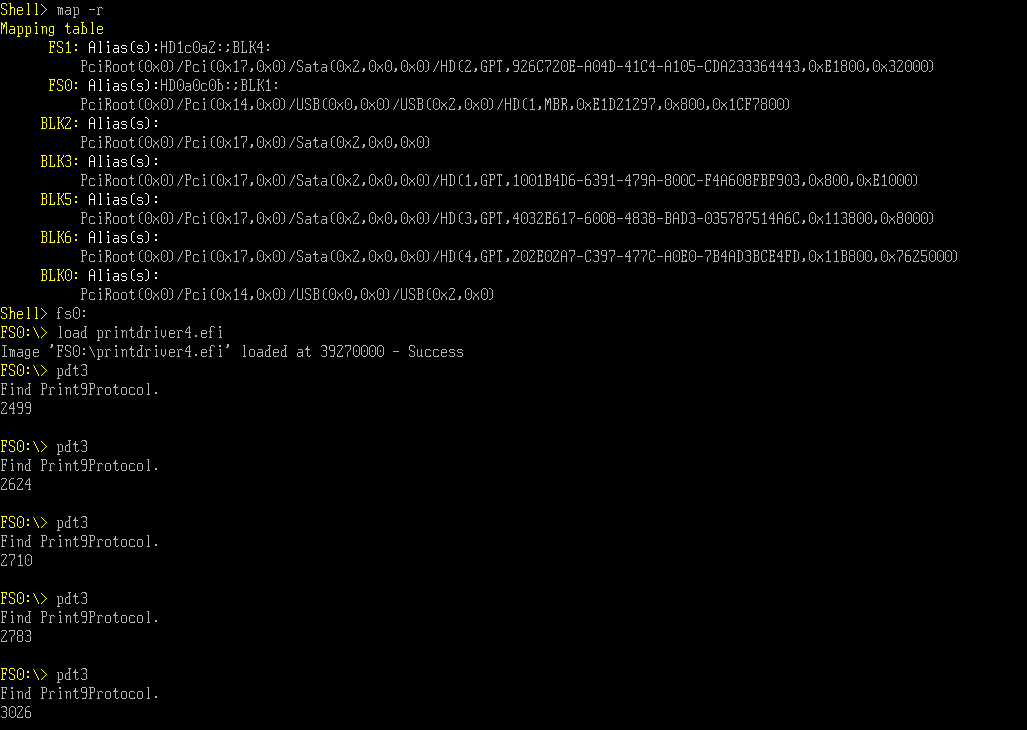
运行结果如下:
X64 的 EFI: mytestpathX64
完整的代码下载: mytestpath
CD74HC4067 作用是选通一路对十六路模拟信号,更详细的说,根据芯片上 S0-S3 四个不同管脚的组合,让SIG管脚和C0-C15导通。因此,最常见的用法是用来测试模拟信号。比如,Arduino Uno上面只有6个模拟输入,用一个CD74HC4067可以多扩展出来16个,于是可以支持 6+16-1=21个模拟引脚。
这个芯片的使用方法非常简单,例如: S0-S3 分别是 0 0 0 0时,SIG就和 C0是导通的。因此,这里我做一个实验,将一些电阻串联起来,分别接在 C1 C3 C5 C9 C11 上面,然后测量换算每个Pin的电压.
//Mux control pins
int s0 = 7;
int s1 = 6;
int s2 = 5;
int s3 = 4;
//Mux in "SIG" pin
int SIG_pin = 0;
void setup(){
pinMode(s0, OUTPUT);
pinMode(s1, OUTPUT);
pinMode(s2, OUTPUT);
pinMode(s3, OUTPUT);
digitalWrite(s0, LOW);
digitalWrite(s1, LOW);
digitalWrite(s2, LOW);
digitalWrite(s3, LOW);
Serial.begin(9600);
}
void loop(){
int v;
//Loop through and read all 16 values
//Reports back Value at channel 6 is: 346
for(int i = 0; i < 16; i ++){
Serial.print("Value at channel ");
Serial.print(i);
Serial.print(" is : ");
v=readMux(i);
Serial.println(v * 5.0 / 1024);
}
Serial.println(" ");
delay(3000);
}
int readMux(int channel){
int controlPin[] = {s0, s1, s2, s3};
int muxChannel[16][4]={
{0,0,0,0}, //channel 0
{1,0,0,0}, //channel 1
{0,1,0,0}, //channel 2
{1,1,0,0}, //channel 3
{0,0,1,0}, //channel 4
{1,0,1,0}, //channel 5
{0,1,1,0}, //channel 6
{1,1,1,0}, //channel 7
{0,0,0,1}, //channel 8
{1,0,0,1}, //channel 9
{0,1,0,1}, //channel 10
{1,1,0,1}, //channel 11
{0,0,1,1}, //channel 12
{1,0,1,1}, //channel 13
{0,1,1,1}, //channel 14
{1,1,1,1} //channel 15
};
//loop through the 4 sig
for(int i = 0; i < 4; i ++){
digitalWrite(controlPin[i], muxChannel[channel][i]);
}
//read the value at the SIG pin
int val = analogRead(SIG_pin);
//return the value
return val;
}
最终运行结果如下: 同时我使用万用表测量,两者相差在 0.02V左右,证明还是非常准确的.
除了当作模拟的扩展之外,这个芯片还可以用来控制 LED。在电路的世界里,即便最简单的芯片都可以玩出让人匪夷所思的效果。
参考:
1. http://bildr.org/2011/02/cd74hc4067-arduino/#
2. http://www.tigoe.com/pcomp/code/arduinowiring/540/
UDK 最近放出了 2017 【参考1】,这种正式的Release能够保证一定能通过编译,是稳定的版本(五月份的时候我抓过一次 EDK2 , 连编译都无法通过)。印象中前一个UDK2015 似乎并没有使用多长时间,看起来 EDK2 仍然在努力发展壮大。
首先下载 Source Code,我选择的是直接通过这个链接下载而不是 GIT 方式:
https://github.com/tianocore/edk2/archive/vUDK2017.zip
解压之后,和之前的一样,需要装一下编译必须的工具才能正常使用。在【参考2】下载edk2-BaseTools-win32。解压之后放在 BaseTools\Bin\Win32目录下。
Conf 目录中还缺少必要的 Target.TXT 之类的配置文件, 我们运行一次 BaseTools下的 Toolsetup.bat 即可。
然后,还需要nasm 这个汇编语言编译器。找到之后,将 nasm丢在 BaseTools\Bin\Win32目录下即可.
最后可以开始编译过程,和之前的命令相同,依然是:
Edksetup.bat
Build.bat
我是用的是 VS2013 X64的环境,编译命令为 build –a X64

之后使用 build –a X64 run 启动 NT32 虚拟机:

经过实验, 64Bit Application能够正常运行。看起来这是一个重要的改进。我们可以方便的在虚拟机中验证X64的Application了。
为了便于使用,这里放一个配置好的完整代码:
链接: http://pan.baidu.com/s/1boMd6c3 密码: ymxe
后面的程序和代码都会基于 UDK2017 环境.
参考:
1. https://github.com/tianocore/tianocore.github.io/wiki/UDK2017
2. https://github.com/tianocore/tianocore.github.io/wiki/UDK2017-How-to-Build
3. https://github.com/tianocore/edk2-BaseTools-win32
DIY 免不了要在淘宝之类的买乱七八糟的东西。一般的时候我都会非常有耐心的等待。比如,定制 PCB 通常要等待一周左右。但是最近我买东西,然后一直等……结果等到了最后居然自动从等待收货状态变成了让我评价。
我在一家叫做”pcb工作室”的店铺买了几个固定块打算试试
10号下单,过了三天,状态改成了发货. 实际上是一直等待揽收.
途中我也问过回复是马上会发,结果等着等着,今天就变成了交易成功, 登录网页版, 没有办法请淘宝介入, 只有申请售后服务的选项, 最终我只得申请退货了.
后来问了一下朋友,他们告诉我如果卖家发货十四天后你还没有签收,那么就会自动切换成收获。
所以, taobao 买东西要记得催………
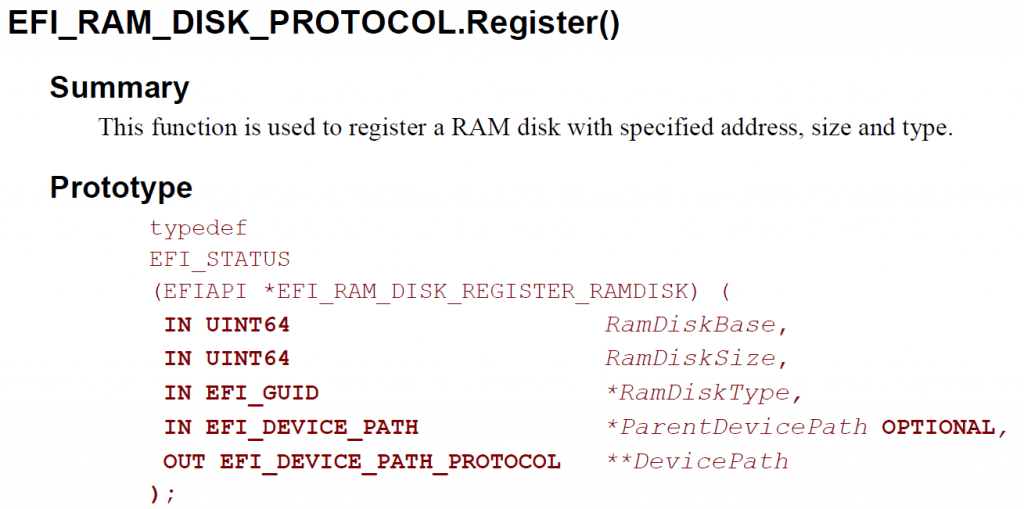
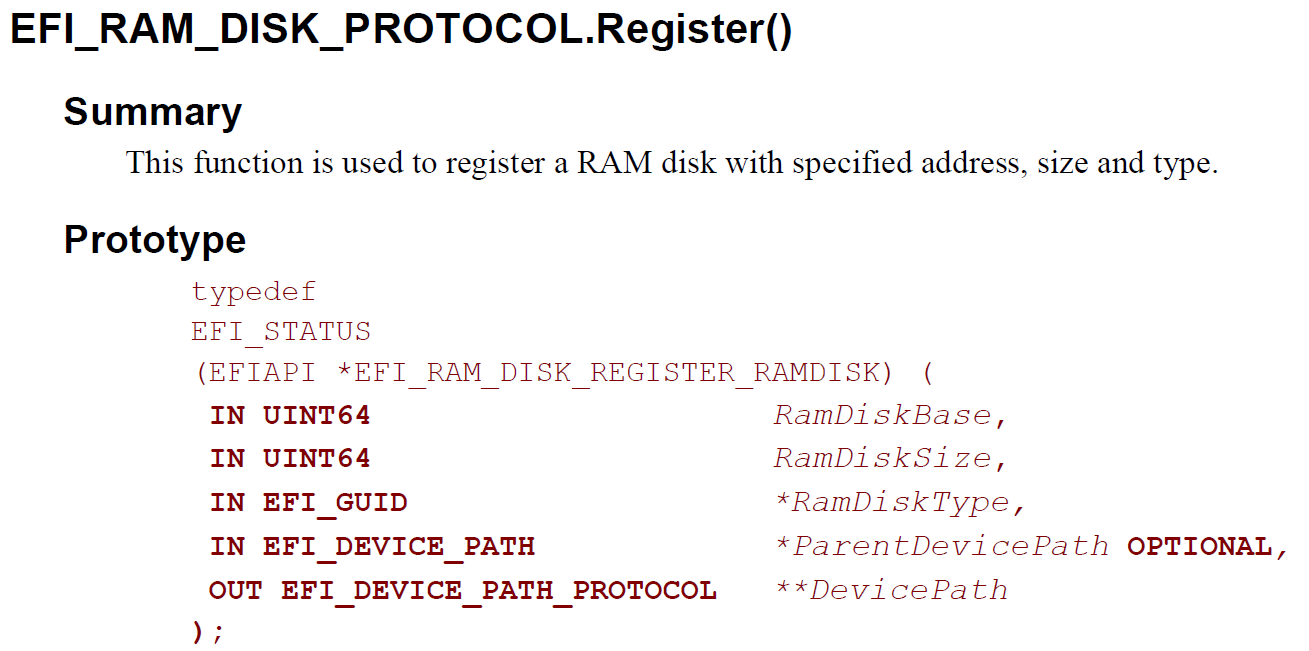
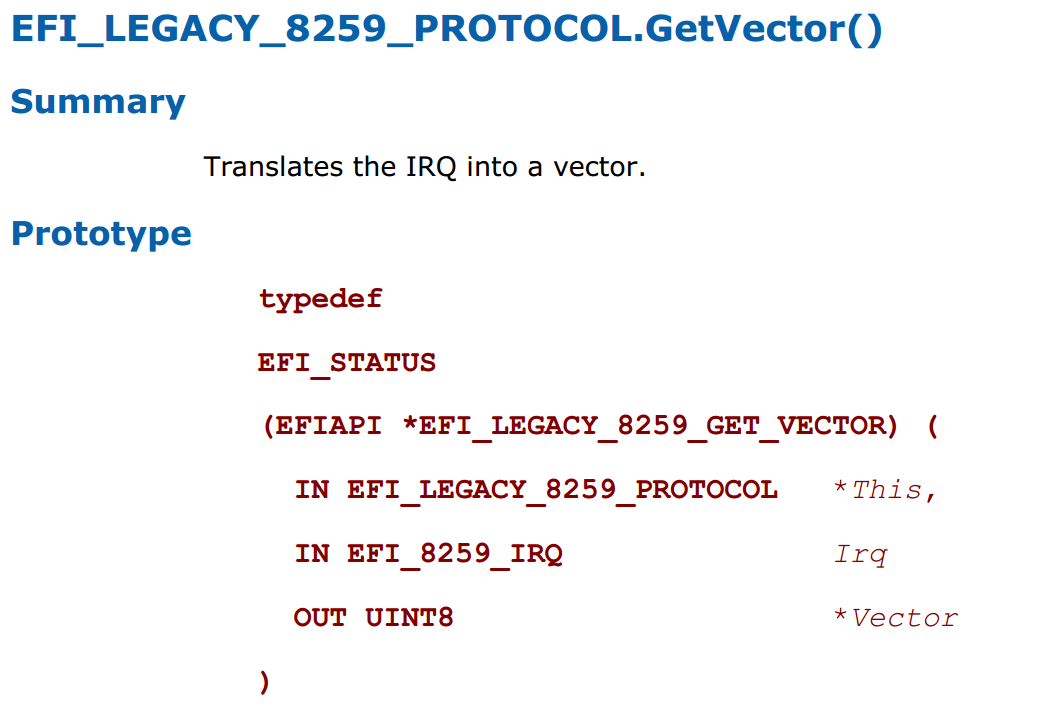
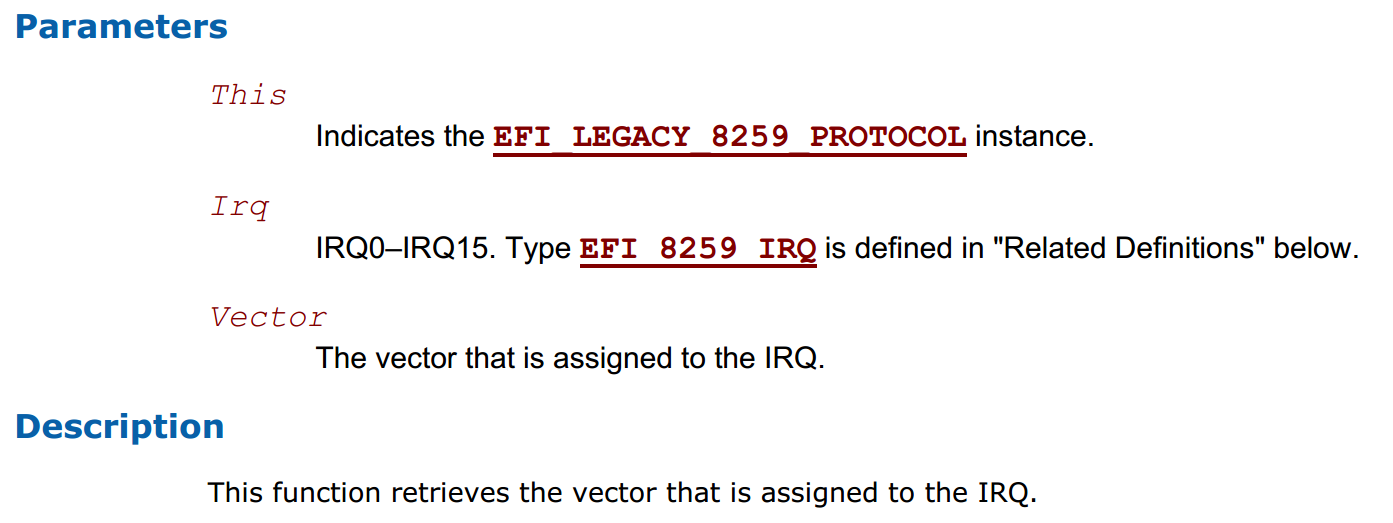
有时候我们需要得知当前系统中SMRAM的分配情况,这时候需可以使用 EFI_SMM_ACCESS2_PROTOCOL。关于这个 PROTOCOL,可以在PI Spec Vol4 找到。这个 PROTOCOL 接口如下:

其中我们需要关注的是 GetCapabilities。

首先通过 SmramMapSize,获得下面的 EFI_SMRAM_DESCRIPTOR的数量,之后一个个进行枚举即可。
代码中用到的一些结构体定义可以在下面这个文件中找到:
\EdkCompatibilityPkg\Foundation\Framework\Guid\SmramMemoryReserve\SmramMemoryReserve.h
例如:
//
// *******************************************************
// EFI_SMRAM_DESCRIPTOR
// *******************************************************
//
typedef struct {
EFI_PHYSICAL_ADDRESS PhysicalStart; // Phsyical location in DRAM
EFI_PHYSICAL_ADDRESS CpuStart; // Address CPU uses to access the SMI handler
// May or may not match PhysicalStart
//
UINT64 PhysicalSize;
UINT64 RegionState;
} EFI_SMRAM_DESCRIPTOR;
//
// *******************************************************
// EFI_SMRAM_STATE
// *******************************************************
//
#define EFI_SMRAM_OPEN 0x00000001
#define EFI_SMRAM_CLOSED 0x00000002
#define EFI_SMRAM_LOCKED 0x00000004
#define EFI_CACHEABLE 0x00000008
#define EFI_ALLOCATED 0x00000010
#define EFI_NEEDS_TESTING 0x00000020
#define EFI_NEEDS_ECC_INITIALIZATION 0x00000040
源代码如下:
/** @file
Dump Capsule image information.
Copyright (c) 2016, Intel Corporation. All rights reserved.<BR>
This program and the accompanying materials
are licensed and made available under the terms and conditions of the BSD License
which accompanies this distribution. The full text of the license may be found at
http://opensource.org/licenses/bsd-license.php
THE PROGRAM IS DISTRIBUTED UNDER THE BSD LICENSE ON AN "AS IS" BASIS,
WITHOUT WARRANTIES OR REPRESENTATIONS OF ANY KIND, EITHER EXPRESS OR IMPLIED.
**/
根据上面的资料,编写代码如下:
#include <PiDxe.h>
#include <Library/BaseLib.h>
#include <Library/BaseMemoryLib.h>
#include <Library/MemoryAllocationLib.h>
#include <Library/UefiBootServicesTableLib.h>
#include <Library/UefiLib.h>
#include <Protocol/Shell.h>
#include <Protocol/ShellParameters.h>
#include <Protocol/SmmAccess2.h>
EFI_SMRAM_DESCRIPTOR *mSmramRanges;
UINTN mSmramRangeCount;
/**
Print APP usage.
**/
VOID
PrintUsage (
VOID
)
{
Print(L"FVBDemo: usage\n");
Print(L" FVBDemo <FileName>\n");
}
/**
@param[in] ImageHandle The image handle.
@param[in] SystemTable The system table.
@retval EFI_SUCCESS Command completed successfully.
@retval EFI_INVALID_PARAMETER Command usage error.
@retval EFI_NOT_FOUND The input file can't be found.
**/
EFI_STATUS
EFIAPI
UefiMain (
IN EFI_HANDLE ImageHandle,
IN EFI_SYSTEM_TABLE *SystemTable
)
{
EFI_STATUS Status=EFI_SUCCESS;
EFI_SMM_ACCESS2_PROTOCOL *SmmAccess;
UINTN Size;
UINTN Index;
//
// Locate SMM Access2 Protocol
//
Status = gBS->LocateProtocol (
&gEfiSmmAccess2ProtocolGuid,
NULL,
(VOID **)&SmmAccess
);
if (EFI_ERROR(Status)) {
Print(L"Can't find SmmAccess2Protocol\n");
};
//
// Get SMRAM range information
//
Size = 0;
Status = SmmAccess->GetCapabilities (SmmAccess, &Size, NULL);
mSmramRanges = (EFI_SMRAM_DESCRIPTOR *) AllocatePool (Size);
if (mSmramRanges == NULL) {
Print(L"Allocate Memory Error!\n");
return EFI_SUCCESS;
}
Status = SmmAccess->GetCapabilities (SmmAccess, &Size, mSmramRanges);
if (EFI_ERROR(Status)) {
Print(L"GetCapabilities Error!\n");
return EFI_SUCCESS;
}
mSmramRangeCount = Size / sizeof (EFI_SMRAM_DESCRIPTOR);
Print(L"Index PhysicalStart CpuStart PhysicalSize RegionState\n");
for (Index = 0; Index < mSmramRangeCount; Index ++) {
Print(L"[%d] %8X %8X %8X %8X\n",
Index,
mSmramRanges[Index].PhysicalStart,
mSmramRanges[Index].CpuStart,
mSmramRanges[Index].PhysicalSize,
mSmramRanges[Index].RegionState);
} //for
FreePool (mSmramRanges);
return Status;
}
最终运行结果如下(测试平台是 KBL-R HDK):

完整的代码下载
SMMAccess
本文介绍如何在Shell 下实现控制 USB Keyboard 上面的 LED。
代码流程如下: 首先是找到USB键盘,然后获得它上加载的 USB IO Protocol,通过发送 set report request 的放置通知它当前 LED 应该设置的状态即可。
代码有点长如果你是第一次接触,建议先研究之前的获得 USB VID PID的例子.
#include <Uefi.h>
#include <Library/UefiLib.h>
#include <Library/ShellCEntryLib.h>
#include <Library/MemoryAllocationLib.h>
#include <Library/BaseMemoryLib.h>
#include <Protocol/UsbIo.h>
#include "EfiKey.h"
extern EFI_BOOT_SERVICES *gBS;
extern EFI_HANDLE gImageHandle;
EFI_GUID gEfiUsbIoProtocolGuid =
{ 0x2B2F68D6, 0x0CD2, 0x44CF,
{ 0x8E, 0x8B, 0xBB, 0xA2, 0x0B, 0x1B, 0x5B, 0x75 }};
EFI_GUID gEfiSimpleTextInputExProtocolGuid =
{0xdd9e7534, 0x7762, 0x4698,
{ 0x8c, 0x14, 0xf5, 0x85, 0x17, 0xa6, 0x25, 0xaa }};
//C:\UDK2015\MdePkg\Library\UefiUsbLib\Hid.c
/**
Set the report descriptor of the specified USB HID interface.
Submit a USB set HID report request for the USB device specified by UsbIo,
Interface, ReportId, and ReportType, and set the report descriptor using the
buffer specified by ReportLength and Report.
If UsbIo is NULL, then ASSERT().
If Report is NULL, then ASSERT().
@param UsbIo A pointer to the USB I/O Protocol instance for the specific USB target.
@param Interface The index of the report interface on the USB target.
@param ReportId The identifier of the report to retrieve.
@param ReportType The type of report to retrieve.
@param ReportLength The size, in bytes, of Report.
@param Report A pointer to the report descriptor buffer to set.
@retval EFI_SUCCESS The request executed successfully.
@retval EFI_TIMEOUT A timeout occurred executing the request.
@retval EFI_DEVICE_ERROR The request failed due to a device error.
**/
EFI_STATUS
EFIAPI
UsbSetReportRequest (
IN EFI_USB_IO_PROTOCOL *UsbIo,
IN UINT8 Interface,
IN UINT8 ReportId,
IN UINT8 ReportType,
IN UINT16 ReportLen,
IN UINT8 *Report
)
{
UINT32 Status;
EFI_STATUS Result;
EFI_USB_DEVICE_REQUEST Request;
//
// Fill Device request packet
//
Request.RequestType = USB_HID_CLASS_SET_REQ_TYPE;
Request.Request = EFI_USB_SET_REPORT_REQUEST;
Request.Value = (UINT16) ((ReportType << 8) | ReportId);
Request.Index = Interface;
Request.Length = ReportLen;
Result = UsbIo->UsbControlTransfer (
UsbIo,
&Request,
EfiUsbDataOut,
3000, //PcdGet32 (PcdUsbTransferTimeoutValue),
Report,
ReportLen,
&Status
);
return Result;
}
VOID
RunSetKeyLED (
IN USB_KB_DEV *UsbKeyboardDevice
)
{
LED_MAP Led;
UINT8 ReportId;
UINT8 i;
for (i=0;i<32;i++)
{
//
// Set each field in Led map.
//
Led.NumLock = i % 2;
Led.CapsLock = (i>>1) % 2;
Led.ScrollLock = (i>>2) % 2;
Led.Resrvd = 0;
ReportId = 0;
//
// Call Set_Report Request to lighten the LED.
//
UsbSetReportRequest (
UsbKeyboardDevice->UsbIo,
UsbKeyboardDevice->InterfaceDescriptor.InterfaceNumber,
ReportId,
HID_OUTPUT_REPORT,
1,
(UINT8 *) &Led
);
gBS->Stall(100000);
}
}
UINTN GetUSB( )
{
EFI_STATUS Status;
UINTN HandleIndex, HandleCount;
EFI_HANDLE *DevicePathHandleBuffer = NULL;
EFI_USB_IO_PROTOCOL *USBIO;
EFI_SIMPLE_TEXT_INPUT_EX_PROTOCOL *SimpleEx;
USB_KB_DEV *UsbKeyboardDevice;
EFI_USB_DEVICE_DESCRIPTOR DeviceDescriptor;
//Get all the Handles that have UsbIO Protocol
Status = gBS->LocateHandleBuffer(
ByProtocol,
&gEfiUsbIoProtocolGuid,
NULL,
&HandleCount,
&DevicePathHandleBuffer);
if (EFI_ERROR(Status))
{
Print(L"ERROR : Get USBIO count fail.\n");
return 0;
}
for (HandleIndex = 0; HandleIndex < HandleCount; HandleIndex++)
{
Status = gBS->HandleProtocol(
DevicePathHandleBuffer[HandleIndex],
&gEfiUsbIoProtocolGuid,
(VOID**)&USBIO);
if (EFI_ERROR(Status))
{
Print(L"ERROR : Open USBIO fail.\n");
gBS->FreePool(DevicePathHandleBuffer);
return 0;
}
//Check if the Handle has SimpleEx Protocol
Status = gBS->OpenProtocol(
DevicePathHandleBuffer[HandleIndex],
&gEfiSimpleTextInputExProtocolGuid,
(VOID**)&SimpleEx,
gImageHandle,
NULL,
EFI_OPEN_PROTOCOL_GET_PROTOCOL);
//If it has the Protocol, it means it's a USB Keyboard
if (!EFI_ERROR(Status)) {
//Get USB Device Descriptor
Status = USBIO->UsbGetDeviceDescriptor(USBIO, &DeviceDescriptor);
if (EFI_ERROR(Status))
{
Print(L"ERROR : Usb Get Device Descriptor fail.\n");
gBS->FreePool(DevicePathHandleBuffer);
return 0;
}
//Show the PID and VID
Print(L"Found a USB Keyboard. VendorID = %04X, ProductID = %04X\n",
DeviceDescriptor.IdVendor,
DeviceDescriptor.IdProduct);
//Get USB_KB_DEV struct by SimpleEx Protocol
UsbKeyboardDevice = TEXT_INPUT_EX_USB_KB_DEV_FROM_THIS (SimpleEx);
//Change LED status
RunSetKeyLED(UsbKeyboardDevice);
}
}
gBS->FreePool(DevicePathHandleBuffer);
return HandleCount;
}
int
EFIAPI
main (
IN int Argc,
IN CHAR16 **Argv
)
{
GetUSB( );
return EFI_SUCCESS;
}
首先是第一个键盘的 LED乱闪,之后是第二个键盘乱闪。
在实际使用中,如果系统同时接入了2个以上的键盘你会发现他们的LED状态是同步的。比如,你在一个键盘上按下 Num Lock,那么另外的一块键盘上的 Num Lock LED同样也会发生变化。因为软件层有专门的机制来进行“同步”。在 EDK2 的代码中\MdeModulePkg\Bus\Usb\UsbKbDxe\KeyBoard.c 可以看到SetKeyLED 这个函数(本文使用的 RunSetKeyLED 也是脱胎于这个函数),有兴趣的朋友可以仔细研究一下。
/** Sets USB keyboard LED state. @param UsbKeyboardDevice The USB_KB_DEV instance. **/ VOID SetKeyLED ( IN USB_KB_DEV *UsbKeyboardDevice )
完整的代码和 X64 Application下载
很多时候,我们需要从串口无损传输一个文件。但是对于串口来说,经常会发生丢失数据或者是数据错误的情况。因此,需要有一个协议来保证传输的正确性。这里设计一个简单的协议。
首先,打开接收端等待传输,发送端传输一个4字节的文件长度。之后的数据都是以N为单位(比如:16字节或者128字节等等)进行发送。
数据包的长度为 N字节。其中有2个字节是用于校验。一个是 Checksum: 将0到N-2加到一起,要等于0;另一个是Index取值从0-255,比如一个包是0,第二个发送过来的就是1,这样一直下去,到255后再返回到0。
在传输阶段,接收端用“N”来表示请发送下一个数据包,接收端对收到的数据进行校验,如果出现错误,发送“R”表示要求发送端重新发送。
设计完成就是代码的实现。我编写了一对Windows 程序用来发送和接受,使用的是 128字节的数据包;此外就是一个Windows发送端,还有接受的Arduino代码。
在Windows下,推荐使用Virtual Serial port Driver 这个软件调试。他能够虚拟出来连通的串口,这样无需在外部的Loopback 直接就可以调用串口非常方便。

我传输了一个200K的内容,之后对比过,发送和接收到的内容是相同的。我将代码直接打包,有兴趣的朋友可以研究一下(Delphi XE2编译)。

这是上位机的发送部分,每次收到N或者R后会根据情况进行发送
procedure TForm2.ComPort1RxChar(Sender: TObject; Count: Integer);
var
s,t: String;
aSize,i:integer;
checksum:byte;
begin
ComPort1.ReadStr(s, Count);
if s[Count]='N' then
begin
Memo1.Lines.Add('Received N');
if BytesSend<stream.size then
begin
fillchar(Buffer,BUFFERSIZE,0);
// 读取文件并取得实际读取出来的长度
aSize:=stream.Read(Buffer,BUFFERSIZE-2);
//计算Checksum, 就是 Buffer 第一个到倒数第二个加起来要求为0
checksum:=0;
for i := 0 to BUFFERSIZE-3 do
begin
checksum:=checksum-Buffer[i];
end;
//放置Checksum
Buffer[BUFFERSIZE-2]:=checksum;
//放置顺序号
Buffer[BUFFERSIZE-1]:=Index;
inc(Index);
ComPort1.Write(Buffer,BUFFERSIZE);
{t:='';
for i := 0 to BUFFERSIZE-1 do
begin
t:=t+ IntToHex(Buffer[i],2)+' ';
end;
Memo1.Lines.Add(t);
}
BytesSend:=BytesSend+aSize;
Form2.Caption:=IntToStr(BytesSend)+'/'+IntToStr(stream.size);
Form2.Refresh;
end
else
Memo1.Lines.Add('Completed!');
end;
//如果收到 R 就再次发送
if s[Count]='R' then
begin
ComPort1.Write(Buffer,BUFFERSIZE);
{ t:='';
for i := 0 to BUFFERSIZE-1 do
begin
t:=t+ IntToHex(Buffer[i],2)+' ';
end;
Memo1.Lines.Add(t);
}
Memo1.Lines.Add('R');
end;
end;
Arduino代码如下 (Arduino我没有进行Index的校验)
#include <SoftwareSerial.h>
#define BUFFERSIZE 16
#define TIMEOUT 3000UL
#define DEBUG (1)
//用来 DEBUG 的软串口,用额外的USB转串口线接在Pin11即可
SoftwareSerial mySerial(10, 11); // RX, TX
char buffer[BUFFERSIZE];
unsigned long filesize=0; //文件大小
byte *p=(byte *)&filesize;
unsigned long total=0;
void setup() {
//收到的文件大小字节数,一共4位
byte c=0;
//每次收到的数值
byte r;
Serial.begin(115200);
if DEBUG {
// set the data rate for the SoftwareSerial port
mySerial.begin(115200);
mySerial.println("Hello, world?");
}
//如果没有收够4字节,则一直接收
while (c<4) {
while (Serial.available() > 0)
{
//比如文件大小为 0x10000, 那么上位机发出来的顺序是
// 00 00 01 00, 因此这里需要一个顺序的调换
r=Serial.read();
*(p+c)=r;
c++;
if DEBUG {
mySerial.print(r);
mySerial.println(" ");
}
} //while (Serial.available() > 0)
} //while (c<4)
if DEBUG {
mySerial.print("filesize=");
mySerial.println(filesize);
}
//通知上位机继续发送
Serial.print('N');
}
void loop() {
byte buffer[BUFFERSIZE];
int i;
byte checksum;
Next:
//接收数据的字节数
int counter=0;
//接收超时的变量
unsigned long elsp=millis();
//如果接收数量小于缓冲区大小并且未超时,那么继续接收
while ((counter<BUFFERSIZE)&&(millis()-elsp<TIMEOUT))
{
while (Serial.available()>0)
{
buffer[counter]=Serial.read();
if (DEBUG) {
// mySerial.print(buffer[counter],HEX);
// mySerial.print(" ");
// mySerial.println(counter,HEX);
}
counter++;
} //while
}
//如果接收数量不足退出上面的循环
if (counter!=BUFFERSIZE) {
//通知上位机重新发送
Serial.print("R");
if DEBUG {
mySerial.print("R");
}
}
//检查接收到的数据校验和
checksum=0;
for (i=0;i<BUFFERSIZE-1;i++)
{
checksum=checksum+buffer[i];
//Serial.print(buffer[i]);
//Serial.print(" ");
if DEBUG {
//mySerial.print(buffer[i]);
//mySerial.print(" ");
}
}
//校验失败通知上位机重新发送
if (checksum!=0) {
Serial.print("R");
if DEBUG {
mySerial.print("R");
}
goto Next;
}
//如果当前收到的总数据小于文件大小,那么要求上位机继续发送
if (total<filesize)
{
Serial.print('N');
//有效值只有 BUFFERSIZE-2
total=total+BUFFERSIZE-2;
if DEBUG {
mySerial.print("N");
}
}
//否则停止
else {
if DEBUG {
mySerial.print("Total received");
mySerial.print(total);
}
while (1==1) {}
} //else
}
调试的方法是开一个SoftwareSeiral,然后用Pin11接到USB 转串口的RX 上,同时共地。我发送一个 400K 左右的文件:
上面的方法优点是:
1.足够简单容易实现
2.对内存要求低
缺点也是很明显:
1.接收端只能等待外面过来的文件大小,如果这一步骤出现问题,那么后面都会乱掉,换句话说,如果你的通讯信道足够糟糕,那么整体还是不稳定;
2.效率不高,如果使用16位的Buffer,那么有效的数据只有 14字节,14 /16=87.5%。资料上说Uno 的串口默认是 64Byte,如果用这么大的Buffer,效率可以达到 (64-2)/64=96.9%。
附件下载:
Windows内部发送和接受代码和EXE(使用 128字节Buffer,速度挺快)
Receiver
Sender
Windows发送的EXE(16字节Buffer), Arduino 代码
Sender16
receivefile