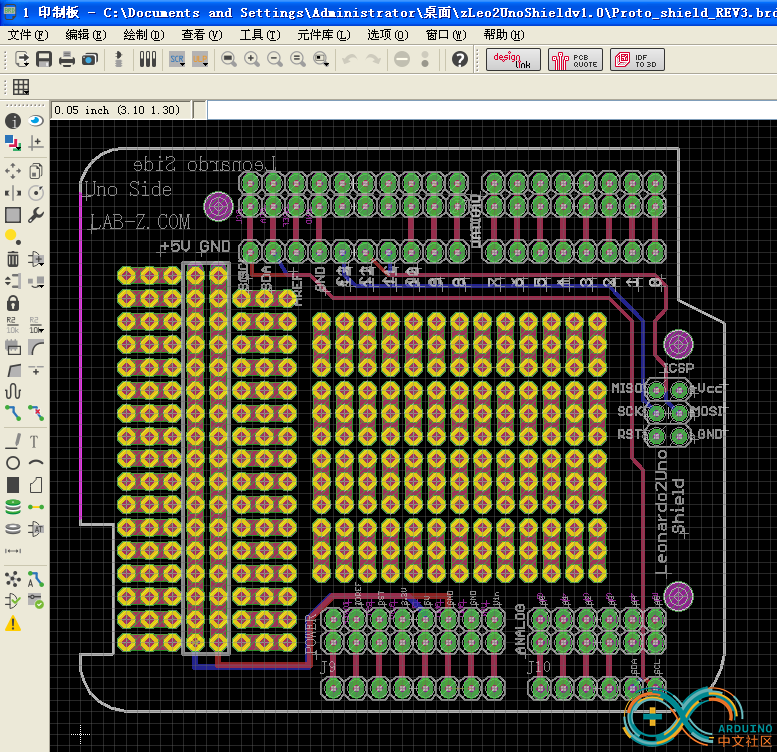
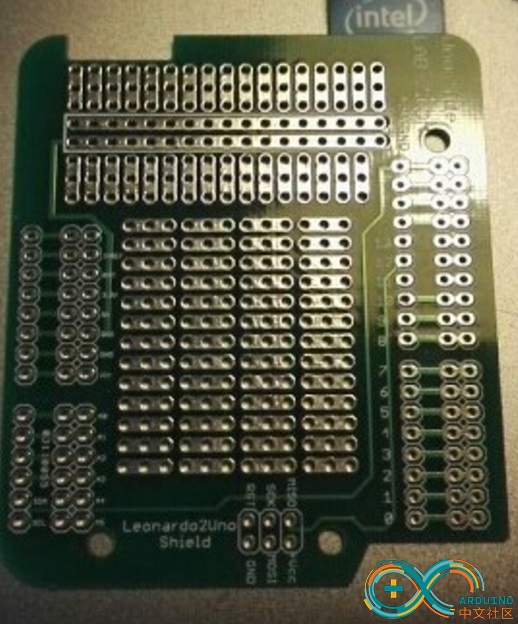
最近网上发现一个 Arduino 管脚的分布图,清晰详细,在 https://github.com/Bouni/Arduino-Pinout
每一幅在3000×300以上,还特别提供矢量图
我在 Baidu 盘上放了一份有兴趣的朋友可以下载
链接: http://pan.baidu.com/s/1milKCS4 密码: sbhw
这次介绍一个通过驱动程序旋转屏幕的项目,地址是https://github.com/apop2/GopRotate 。项目的简介是“A EDK2 Package that supplies a UEFI driver that will bind on top of Graphics Output Devices and rotate any BLT operations by 0, 90, 180 or 270 degrees.”。
本文并不打算做原理上的分析,只是介绍如何编译和实验。
实验环境是 UDK2014
1.在 C:\EDK\Nt32Pkg\Nt32Pkg.dsc 文件的 [Components] 段中添加下面的内容
MdeModulePkg/Application/VariableInfo/VariableInfo.inf MdeModulePkg/Universal/PlatformDriOverrideDxe/PlatformDriOverrideDxe.inf ##LABZDebug_Start GopRotatePkg/GopRotate/GopRotate.inf ##LABZDebug_End ################################################################################################### # # BuildOptions Section - Define the module specific tool chain flags that should be used as # the default flags for a module. These flags are appended to any
2.将 GopRotatePkg 目录拷贝到你UDK 的根目录下 例如: C:\EDK\
3.使用 Build 命令编译 NT32
4.使用 build run 运行模拟器
至此,驱动程序已经编译完成。下面要编译使用这个驱动的 Application。
5.将GopRot 按照一个普通的Application编译
编译完成后可以进行实验了。
6.使用 load goprotate.efi 加载驱动

7.输入 goprot.efi 2 进行测试。
运行之前的屏幕是这样的:

运行之后屏幕就变成这样了

完整的代码下载
前面提到的驱动项目完整代码
GopRotatePkg
调用驱动的应用程序代码
GopRot
一个标准的 Arduino Uno上面有两个可以编程的IC,一个是负责USB 转串口的ATmega16U2,一个主控芯片ATmega328P,下图红色标记的就是16u2,绿色标记的是 328P.

然后对应的有三种Firmware: 16U2 中有一个, 328P 中有两个。16u2的负责USB转串口;328P的一个Firmware是BootLoader,从功能上说主要是负责把 16u2收到串口数据刷新到328P 上;328P中的另外一个 Firmware 就是我们平常写的程序,编译之后生成的,用来完成我们期望的功能。
一般情况下,如果想更新16u2,需要额外的设备,比如 USB IPS ; 我们IDE只能更新328P 中的程序部分.328P 的BootLoader也是需要额外的设备来进行更新的。更新 16u2使用下图左上角框住部分的排针,更新 328P 使用下图中间橘色框图中指出的引脚。

16u2的Firmware 可以在类似 \arduino-1.6.3\hardware\arduino\avr\firmwares\atmegaxxu2\arduino-usbserial 的路径中找到
328P Bootloader 的Firmware 可以在\arduino-1.6.3\hardware\arduino\avr\bootloaders\atmega 的路径中找到。
Base64编码出现的背景【参考1】:电子邮件的传输需要把原始内容编码为可见的ASCII来进行传输,很早之前出现的电子邮件编码规则兼容性不太好,比如没有考虑邮件的多种内容的问题,还有对文件音频视频附件之类兼容不好。因此,提出来新的编码,这种新的编码格式编解码很简单,同时编码后的内容只比编码之前大33%,这就是Base64。
这里是来自网上【参考2】的一份 Arduino base64库,下面简单介绍一下用法:
int base64_encode(char *output, char *input, int inputLen); 对字符串进行base64编码
int base64_decode(char *output, char *input, int inputLen); 对Base64字符串进行b解码
int base64_enc_len(int inputLen); “预测”Base64编码后的字符串长度
int base64_dec_len(char *input, int inputLen); “预测”Base64编码字符串解码后的字符串长度
下面是一个完整的例子【参考2】:
#include <Base64.h>
/*
Base64 Encode/Decode example
Encodes the text "Hello world" to "SGVsbG8gd29ybGQA" and decodes "Zm9vYmFy" to "foobar"
Created 29 April 2015
by Nathan Friedly - http://nfriedly.com/
This example code is in the public domain.
*/
void setup()
{
// start serial port at 9600 bps:
Serial.begin(9600);
while (!Serial) {
; // wait for serial port to connect. Needed for Leonardo only
}
Serial.println("Base64 example");
// encoding
char input[] = "Hello world";
int inputLen = sizeof(input);
int encodedLen = base64_enc_len(inputLen);
char encoded[encodedLen];
Serial.print(input); Serial.print(" = ");
// note input is consumed in this step: it will be empty afterwards
base64_encode(encoded, input, inputLen);
Serial.println(encoded);
// decoding
char input2[] = "Zm9vYmFy";
int input2Len = sizeof(input2);
int decodedLen = base64_dec_len(input2, input2Len);
char decoded[decodedLen];
base64_decode(decoded, input2, input2Len);
Serial.print(input2); Serial.print(" = "); Serial.println(decoded);
}
void loop()
{
}
运行结果:
这里【参考4】,提供了一个在线版的Base64编解码工具,可以用来检查结果是否正确。
完整的代码下载:
sketch_apr20a
最后,之前我还介绍过MD5的 Arduino 库【参考3】,有兴趣的朋友也可以研究一下。
参考:
1. http://www.faqs.org/rfcs/rfc2045.html
2. https://github.com/adamvr/arduino-base64 库下载
arduino-base64-master
3. http://www.lab-z.com/arduinomd5/ Arduino 的MD5库
4. http://www1.tc711.com/tool/BASE64.htm 在线编码解码
之前文章中提到过,用LoadImage和StartImage无法加载CLIB build出来的 Application。这次认真研究一下这个问题。
首先,准备实验的材料: 两个简单的小程序 Hello1 和 Hello2 。前者是 CLIB 编出来的,后者是普通的EFI 程序。此外还有一个加载器程序 exec4.efi 。
1. 单独执行编译出来的 Hello1.efi 和Hello2.efi都没问题。实验 exec4 ,加载 hello1.efi 会出错,虚拟机会重启到 Setup中,加载 hello2.efi 正常;
2. 对 Hello1 进行分析,分析的方法是加入【参考1】提到的那种按键Pause。
2.1 在Build\NT32IA32\DEBUG_MYTOOLS\IA32\AppPkg\Applications\Hello1\Hello1\Makefile文件中可以看到,入口定义:
IMAGE_ENTRY_POINT = _ModuleEntryPoint
2.2 我们再根据编译过程生成的MAP文件,确定 _ModuleEntryPoint 是在 ApplicationEntryPoint.c 中。同样【参考2】可以给我们提供很多经验,相比普通的EFI程序,增加的CLib只是在整个架构中插入了多函数,并不会改变整体的架构。
/**
Entry point to UEFI Application.
This function is the entry point for a UEFI Application. This function must call
ProcessLibraryConstructorList(), ProcessModuleEntryPointList(), and ProcessLibraryDestructorList().
The return value from ProcessModuleEntryPointList() is returned.
If _gUefiDriverRevision is not zero and SystemTable->Hdr.Revision is less than _gUefiDriverRevison,
then return EFI_INCOMPATIBLE_VERSION.
@param ImageHandle The image handle of the UEFI Application.
@param SystemTable A pointer to the EFI System Table.
@retval EFI_SUCCESS The UEFI Application exited normally.
@retval EFI_INCOMPATIBLE_VERSION _gUefiDriverRevision is greater than SystemTable->Hdr.Revision.
@retval Other Return value from ProcessModuleEntryPointList().
**/
EFI_STATUS
EFIAPI
_ModuleEntryPoint (
IN EFI_HANDLE ImageHandle,
IN EFI_SYSTEM_TABLE *SystemTable
)
{
EFI_STATUS Status;
if (_gUefiDriverRevision != 0) {
//
// Make sure that the EFI/UEFI spec revision of the platform is >= EFI/UEFI spec revision of the application.
//
if (SystemTable->Hdr.Revision < _gUefiDriverRevision) {
return EFI_INCOMPATIBLE_VERSION;
}
}
//
// Call constructor for all libraries.
//
ProcessLibraryConstructorList (ImageHandle, SystemTable);
//
// Call the module's entry point
//
Status = ProcessModuleEntryPointList (ImageHandle, SystemTable);
//
// Process destructor for all libraries.
//
ProcessLibraryDestructorList (ImageHandle, SystemTable);
//
// Return the return status code from the driver entry point
//
return Status;
}
首先追到的是 ProcessLibraryConstructorList 我们在其中插入Debug信息。特别注意,插入的位置在 \Build\NT32IA32\DEBUG_MYTOOLS\IA32\AppPkg\Applications\Hello1\Hello1\DEBUG\AutoGen.c
因为这个文件是编译过程中生成的,所以我们不可以重新 Build AppPkg,而要在目录中(\Build\NT32IA32\DEBUG_MYTOOLS\IA32\AppPkg\Applications\Hello1\Hello1\) 直接运行 NMake来编译;
2.3 插入Debug信息后,NMAKE 编译通过,直接运行 Hello1.efi 一次,确保没问题,再用 exec4 加载 hello1.efi 。同样有错误,这说明问题不是发生在ProcessLibraryConstructorList 中;下面是插入后的代码式样:
VOID
EFIAPI
ProcessLibraryConstructorList (
IN EFI_HANDLE ImageHandle,
IN EFI_SYSTEM_TABLE *SystemTable
)
{
EFI_STATUS Status;
EFI_INPUT_KEY Key;
SystemTable->ConOut->OutputString(SystemTable->ConOut,L"UefiRuntimeServicesTableLibConstructor\n\r");
Key.ScanCode=SCAN_NULL;
while (SCAN_UP!=Key.ScanCode)
{Status= SystemTable -> ConIn -> ReadKeyStroke(SystemTable->ConIn,&Key);}
SystemTable->ConOut->OutputString(SystemTable->ConOut,L"Waiting for DOWN_KEY\n\r");
Key.ScanCode=SCAN_NULL;
while (SCAN_DOWN!=Key.ScanCode)
{Status= SystemTable -> ConIn -> ReadKeyStroke(SystemTable->ConIn,&Key);}
Status = UefiRuntimeServicesTableLibConstructor (ImageHandle, SystemTable);
ASSERT_EFI_ERROR (Status);
SystemTable->ConOut->OutputString(SystemTable->ConOut,L"UefiBootServicesTableLibConstructor\n\r");
Key.ScanCode=SCAN_NULL;
while (SCAN_UP!=Key.ScanCode)
{Status= SystemTable -> ConIn -> ReadKeyStroke(SystemTable->ConIn,&Key);}
SystemTable->ConOut->OutputString(SystemTable->ConOut,L"Waiting for DOWN_KEY\n\r");
Key.ScanCode=SCAN_NULL;
while (SCAN_DOWN!=Key.ScanCode)
{Status= SystemTable -> ConIn -> ReadKeyStroke(SystemTable->ConIn,&Key);}
Status = UefiBootServicesTableLibConstructor (ImageHandle, SystemTable);
ASSERT_EFI_ERROR (Status);
SystemTable->ConOut->OutputString(SystemTable->ConOut,L"UefiLibConstructor\n\r");
Key.ScanCode=SCAN_NULL;
while (SCAN_UP!=Key.ScanCode)
{Status= SystemTable -> ConIn -> ReadKeyStroke(SystemTable->ConIn,&Key);}
SystemTable->ConOut->OutputString(SystemTable->ConOut,L"Waiting for DOWN_KEY\n\r");
Key.ScanCode=SCAN_NULL;
while (SCAN_DOWN!=Key.ScanCode)
{Status= SystemTable -> ConIn -> ReadKeyStroke(SystemTable->ConIn,&Key);}
Status = UefiLibConstructor (ImageHandle, SystemTable);
ASSERT_EFI_ERROR (Status);
SystemTable->ConOut->OutputString(SystemTable->ConOut,L"__wchar_construct\n\r");
Key.ScanCode=SCAN_NULL;
while (SCAN_UP!=Key.ScanCode)
{Status= SystemTable -> ConIn -> ReadKeyStroke(SystemTable->ConIn,&Key);}
SystemTable->ConOut->OutputString(SystemTable->ConOut,L"Waiting for DOWN_KEY\n\r");
Key.ScanCode=SCAN_NULL;
while (SCAN_DOWN!=Key.ScanCode)
{Status= SystemTable -> ConIn -> ReadKeyStroke(SystemTable->ConIn,&Key);}
Status = __wchar_construct (ImageHandle, SystemTable);
ASSERT_EFI_ERROR (Status);
SystemTable->ConOut->OutputString(SystemTable->ConOut,L"ShellLibConstructor \n\r");
Key.ScanCode=SCAN_NULL;
while (SCAN_UP!=Key.ScanCode)
{Status= SystemTable -> ConIn -> ReadKeyStroke(SystemTable->ConIn,&Key);}
SystemTable->ConOut->OutputString(SystemTable->ConOut,L"Waiting for DOWN_KEY\n\r");
Key.ScanCode=SCAN_NULL;
while (SCAN_DOWN!=Key.ScanCode)
{Status= SystemTable -> ConIn -> ReadKeyStroke(SystemTable->ConIn,&Key);}
Status = ShellLibConstructor (ImageHandle, SystemTable);
ASSERT_EFI_ERROR (Status);
SystemTable->ConOut->OutputString(SystemTable->ConOut,L"UefiHiiServicesLibConstructor \n\r");
Key.ScanCode=SCAN_NULL;
while (SCAN_UP!=Key.ScanCode)
{Status= SystemTable -> ConIn -> ReadKeyStroke(SystemTable->ConIn,&Key);}
SystemTable->ConOut->OutputString(SystemTable->ConOut,L"Waiting for DOWN_KEY\n\r");
Key.ScanCode=SCAN_NULL;
while (SCAN_DOWN!=Key.ScanCode)
{Status= SystemTable -> ConIn -> ReadKeyStroke(SystemTable->ConIn,&Key);}
Status = UefiHiiServicesLibConstructor (ImageHandle, SystemTable);
ASSERT_EFI_ERROR (Status);
}
直接运行程序会不断暂停等待按键才继续:
2.4 接下来在ProcessModuleEntryPointList中像上面一样插入Debug,
//
// Call the module's entry point
//
Status = ProcessModuleEntryPointList (ImageHandle, SystemTable);
EFI_STATUS
EFIAPI
ProcessModuleEntryPointList (
IN EFI_HANDLE ImageHandle,
IN EFI_SYSTEM_TABLE *SystemTable
)
{
EFI_STATUS Status;
EFI_INPUT_KEY Key;
SystemTable->ConOut->OutputString(SystemTable->ConOut,L"ShellCEntryLib \n\r");
Key.ScanCode=SCAN_NULL;
while (SCAN_UP!=Key.ScanCode)
{Status= SystemTable -> ConIn -> ReadKeyStroke(SystemTable->ConIn,&Key);}
SystemTable->ConOut->OutputString(SystemTable->ConOut,L"Waiting for DOWN_KEY\n\r");
Key.ScanCode=SCAN_NULL;
while (SCAN_DOWN!=Key.ScanCode)
{Status= SystemTable -> ConIn -> ReadKeyStroke(SystemTable->ConIn,&Key);}
Status=ShellCEntryLib (ImageHandle, SystemTable);
SystemTable->ConOut->OutputString(SystemTable->ConOut,L"ShellCEntryLib Exit \n\r");
Key.ScanCode=SCAN_NULL;
while (SCAN_UP!=Key.ScanCode)
{Status= SystemTable -> ConIn -> ReadKeyStroke(SystemTable->ConIn,&Key);}
SystemTable->ConOut->OutputString(SystemTable->ConOut,L"Waiting for DOWN_KEY\n\r");
Key.ScanCode=SCAN_NULL;
while (SCAN_DOWN!=Key.ScanCode)
{Status= SystemTable -> ConIn -> ReadKeyStroke(SystemTable->ConIn,&Key);}
return EFI_SUCCESS;
}
再次实验 Exec4 加载发现,现象消失了。仔细琢磨一下,应该是我最后 return EFI_SUCCESS 导致的。所以问题就应该发生在进入 ShellCEntryLib 那里。
2.5 继续调试直接在 ShellCEntryLib 加入 Debug 信息
/**
UEFI entry point for an application that will in turn call the
ShellAppMain function which has parameters similar to a standard C
main function.
An application that uses UefiShellCEntryLib must have a ShellAppMain
function as prototyped in Include/Library/ShellCEntryLib.h.
Note that the Shell uses POSITIVE integers for error values, while UEFI
uses NEGATIVE values. If the application is to be used within a script,
it needs to return one of the SHELL_STATUS values defined in ShellBase.h.
@param ImageHandle The image handle of the UEFI Application.
@param SystemTable A pointer to the EFI System Table.
@retval EFI_SUCCESS The application exited normally.
@retval Other An error occurred.
**/
EFI_STATUS
EFIAPI
ShellCEntryLib (
IN EFI_HANDLE ImageHandle,
IN EFI_SYSTEM_TABLE *SystemTable
)
{
INTN ReturnFromMain;
EFI_SHELL_PARAMETERS_PROTOCOL *EfiShellParametersProtocol;
EFI_SHELL_INTERFACE *EfiShellInterface;
EFI_STATUS Status;
ReturnFromMain = -1;
EfiShellParametersProtocol = NULL;
EfiShellInterface = NULL;
Status = SystemTable->BootServices->OpenProtocol(ImageHandle,
&gEfiShellParametersProtocolGuid,
(VOID **)&EfiShellParametersProtocol,
ImageHandle,
NULL,
EFI_OPEN_PROTOCOL_GET_PROTOCOL
);
if (!EFI_ERROR(Status)) {
SystemTable->ConOut->OutputString(SystemTable->ConOut,L"Shell2\n\r");
//
// use shell 2.0 interface
//
ReturnFromMain = ShellAppMain (
EfiShellParametersProtocol->Argc,
EfiShellParametersProtocol->Argv
);
} else {
SystemTable->ConOut->OutputString(SystemTable->ConOut,L"Shell1\n\r");
//
// try to get shell 1.0 interface instead.
//
Status = SystemTable->BootServices->OpenProtocol(ImageHandle,
&gEfiShellInterfaceGuid,
(VOID **)&EfiShellInterface,
ImageHandle,
NULL,
EFI_OPEN_PROTOCOL_GET_PROTOCOL
);
if (!EFI_ERROR(Status)) {
SystemTable->ConOut->OutputString(SystemTable->ConOut,L"Shell1.1\n\r");
//
// use shell 1.0 interface
//
ReturnFromMain = ShellAppMain (
EfiShellInterface->Argc,
EfiShellInterface->Argv
);
} else {
SystemTable->ConOut->OutputString(SystemTable->ConOut,L"Shell fail\n\r");
ASSERT(FALSE);
}
}
return ReturnFromMain;
}
用exec4加载之后输出如下:
可以看到,两种方式下,运行路径是不同的。
最后的结论:产生问题的原因是,当我们用 StartImage 运行一个 CLib程序的时候,Clib带入的函数找不到 Efi Shell Interface (要用这个Interface 的原因是希望取命令行参数传给被调用者)。找不到的时候就报错,报告一个加载不成功。
本文提到的 hello1 hello2 exec4 的源代码下载:
exec4
Hello2
Hello1
参考:
1.http://www.lab-z.com/utpk/ UEFI Tips 用按键做Pause
2.http://www.lab-z.com/22applicationentry/ Application的入口分析
我一直在使用 VirtualBox 虚拟机,忽然想起可以通过设置串口的方式来进行Windbg对虚拟机中的OS进行调试,这就意味着同样也可以使用串口来进行虚拟机和主机的通讯。
具体的操作是根据【参考1】进行的。
在虚拟机中调整Settings->Serial Ports的设置,可以看到VirtualBox支持2个串口。在Enable串口之前,进入虚拟机只有一个 LPT1 (我不知道是怎么来的) 。
Disconnected 未连接,虚拟机中会出现串口,但是不和任何实际设备对应
Host Pipe 主机管道,选择之后会要求你输入一个管道的名称。虚拟机中对于串口的访问都会发生在这个管道上。管道名称是 \\.\pipe\
Host Device主机设备,可以选择主机上的一个设备比如 com1。虚拟机上对于串口的访问重新发送/接收到这个设备上。
Raw File 裸文件,可以设置主机的一个文件。看起来这个功能更多只是用来看一下串口的Log,应该不能用作交互控制。
例子:我设置一个名称为 labz1 的pipe。

正常启动进入虚拟机(XP系统)
可以看到,有一个com1

此外其他配置使用默认即可
参考:
1. http://www.crifan.com/summary_how_to_configure_virtualbox_serial_port/ 【详解】如何配置VirtualBox中的虚拟机的串口
很多年前,我去AMI学习,偶然间看到他们在代码中加入通过 60/61 Port来读取键盘按键信息实现一个按需Delay ,深以为意。今天偶然间想起来,在调试Application 的时候,配合屏幕输出也可以用这样的方式来进行Debug。
下面是一个例子:
#include <Uefi.h>
#include <Library/UefiLib.h>
#include <Library/ShellCEntryLib.h>
extern EFI_BOOT_SERVICES *gBS;
extern EFI_SYSTEM_TABLE *gST;
extern EFI_RUNTIME_SERVICES *gRT;
#define SCAN_NULL 0x0000
#define SCAN_UP 0x0001
#define SCAN_DOWN 0x0002
#define SCAN_ESC 0x0017
int
EFIAPI
main (
IN int Argc,
IN CHAR16 **Argv
)
{
EFI_INPUT_KEY Key;
EFI_STATUS Status;
gST->ConOut->OutputString(gST->ConOut,L"Test Starting.....\n\r");
gST->ConOut->OutputString(gST->ConOut,L"Waiting for UP_KEY\n\r");
Key.ScanCode=SCAN_NULL;
while (SCAN_UP!=Key.ScanCode)
{
Status= gST -> ConIn -> ReadKeyStroke(gST->ConIn,&Key);
}
gST->ConOut->OutputString(gST->ConOut,L"Waiting for DOWN_KEY\n\r");
Key.ScanCode=SCAN_NULL;
while (SCAN_DOWN!=Key.ScanCode)
{
Status= gST -> ConIn -> ReadKeyStroke(gST->ConIn,&Key);
}
return EFI_SUCCESS;
}
通过按光标向上和向下继续运行,运行结果:
完整文件下载
之前提到过,使用 LoadImage 和 StartImage 无法加载 CLib Build出来的 EFI Application。一种变通的方法是通过 ShellLib 下面的 ShellExcute 来调用其他的 EFI Application。
具体定义在 \ShellPkg\Library\UefiShellLib\UefiShellLib.c
**
Cause the shell to parse and execute a command line.
This function creates a nested instance of the shell and executes the specified
command (CommandLine) with the specified environment (Environment). Upon return,
the status code returned by the specified command is placed in StatusCode.
If Environment is NULL, then the current environment is used and all changes made
by the commands executed will be reflected in the current environment. If the
Environment is non-NULL, then the changes made will be discarded.
The CommandLine is executed from the current working directory on the current
device.
The EnvironmentVariables pararemeter is ignored in a pre-UEFI Shell 2.0
environment. The values pointed to by the parameters will be unchanged by the
ShellExecute() function. The Output parameter has no effect in a
UEFI Shell 2.0 environment.
@param[in] ParentHandle The parent image starting the operation.
@param[in] CommandLine The pointer to a NULL terminated command line.
@param[in] Output True to display debug output. False to hide it.
@param[in] EnvironmentVariables Optional pointer to array of environment variables
in the form "x=y". If NULL, the current set is used.
@param[out] Status The status of the run command line.
@retval EFI_SUCCESS The operation completed sucessfully. Status
contains the status code returned.
@retval EFI_INVALID_PARAMETER A parameter contains an invalid value.
@retval EFI_OUT_OF_RESOURCES Out of resources.
@retval EFI_UNSUPPORTED The operation is not allowed.
**/
EFI_STATUS
EFIAPI
ShellExecute (
IN EFI_HANDLE *ParentHandle,
IN CHAR16 *CommandLine OPTIONAL,
IN BOOLEAN Output OPTIONAL,
IN CHAR16 **EnvironmentVariables OPTIONAL,
OUT EFI_STATUS *Status OPTIONAL
)
{
EFI_STATUS CmdStatus;
//
// Check for UEFI Shell 2.0 protocols
//
if (gEfiShellProtocol != NULL) {
//
// Call UEFI Shell 2.0 version (not using Output parameter)
//
return (gEfiShellProtocol->Execute(ParentHandle,
CommandLine,
EnvironmentVariables,
Status));
}
//
// Check for EFI shell
//
if (mEfiShellEnvironment2 != NULL) {
//
// Call EFI Shell version.
// Due to oddity in the EFI shell we want to dereference the ParentHandle here
//
CmdStatus = (mEfiShellEnvironment2->Execute(*ParentHandle,
CommandLine,
Output));
//
// No Status output parameter so just use the returned status
//
if (Status != NULL) {
*Status = CmdStatus;
}
//
// If there was an error, we can't tell if it was from the command or from
// the Execute() function, so we'll just assume the shell ran successfully
// and the error came from the command.
//
return EFI_SUCCESS;
}
return (EFI_UNSUPPORTED);
}
调用参数如下:
ParentHandle 执行操作的父进程的Handle
CommandLine 要执行的命令行
Output 是否输出 Debug 信息(这里我没有搞明白,如果有清楚的朋友望不吝赐教)
EnvironmentVariables 环境变量
因为已经在头文件中定义过,所以我们可以直接调用。
比如用下面的方式可以执行 ls 命令:
Shell command CHAR16 *S=L"ls"; OpStat = ShellExecute( &MyHandle, S, FALSE, NULL, &CmdStat);
我们再编写一个简单的程序输出当前收到的命令行参数
#include <Uefi.h>
#include <Library/UefiLib.h>
#include <Library/ShellCEntryLib.h>
int
EFIAPI
main (
IN int Argc,
IN char **Argv
)
{
int i;
for (i=0;i<Argc; i++) {
Print(L"%S\n",Argv[i]);
}
return EFI_SUCCESS;
}
[Defines] INF_VERSION = 0x00010006 BASE_NAME = Hello1 FILE_GUID = 4ea97c46-7491-4dfd-0048-747010f3ce51 MODULE_TYPE = UEFI_APPLICATION VERSION_STRING = 0.1 ENTRY_POINT = ShellCEntryLib # # VALID_ARCHITECTURES = IA32 X64 IPF # [Sources] Hello1.c [Packages] StdLib/StdLib.dec MdePkg/MdePkg.dec ShellPkg/ShellPkg.dec [LibraryClasses] LibC LibStdio ShellCEntryLib ShellLib BaseLib BaseMemoryLib UefiLib [Protocols] [BuildOptions]
运行结果
我们使用 ShellExecute 的代码
#include <Uefi.h>
#include <Library/UefiLib.h>
#include <Library/ShellCEntryLib.h>
#include <Library/ShellLib.h>
extern EFI_BOOT_SERVICES *gBS;
extern EFI_SYSTEM_TABLE *gST;
extern EFI_RUNTIME_SERVICES *gRT;
extern EFI_SHELL_PROTOCOL *gEfiShellProtocol;
extern EFI_SHELL_ENVIRONMENT2 *mEfiShellEnvironment2;
extern EFI_HANDLE gImageHandle;
int
EFIAPI
main (
IN int Argc,
IN char **Argv
)
{
EFI_STATUS CmdStat;
EFI_STATUS OpStat;
EFI_HANDLE MyHandle = gImageHandle;
CHAR16 *S=L"hello1.efi a1 b2 c3";
OpStat = ShellExecute( &MyHandle, S, FALSE, NULL, &CmdStat);
return EFI_SUCCESS;
}
可以看到,能够调用hello1.efi 并且正确的传递了参数。
本文提到的完整代码下载:
前年配了一个台式机,16G 内存 ,Intel I7 4790S的 CPU。当时装的是 GigaByte 的 G1 Sniper b5的板子。我的要求就是:稳定。 CPU 和 内存都是降频运行的。最近感觉硬盘不太稳定,又买了一个新的硬盘,不料安装系统给我折腾的够呛。
装系统需要重启,大约是因为我做的启动盘格式有问题,一直没有办法进去安装盘,我只得Reset重启。没想到这样几次之后,主板就开始抽风:启动,能看到光标,然后关机一直反复这个动作。折腾了很久都没有搞定。最后网上搜索到这块主板是双BIOS(Dual BIOS/Dual SPI),关机状态下长按Power Button开机,开机之后继续按住可以进入Recovery Mode…….此外还可以短接主板上一个 SPI NOR 的 Pin 1 和 Pin 8 强制进入,但是动硬件的话难免风险,按 Button 更简单稳妥一些。
经过无数次折腾,终于进入了这个 Mode,主板从另外一个 SPI NOR 读取出来数据覆盖到主 SPI 上才恢复。
看起来 GigaByte 主板在设计或者说测试阶段应该没有发现:当无法启动Leagcy OS后,主动关机会导致 BIOS 进入某种特殊状态的 Bug。万幸 Dual BIOS 功能做的还不错。
最后经过无数次的努力终于把系统装上,告一段落。
“因为硬盘是一种块设备,所以每个硬盘设备(硬盘设备包括分区设备)控制器都安装有一个 BlockIo 实例,一个 BlockIo2实例。BlockIo 提供了访问设备的阻塞函数,BlockIo2提供了访问设备的异步函数”【参考1】
这里提供一个枚举BlockIo,然后显示每一个 Media 属性的例子:
#include <Uefi.h>
#include <Library/UefiLib.h>
#include <Library/ShellCEntryLib.h>
#include <Protocol/BlockIo.h>
extern EFI_BOOT_SERVICES *gBS;
extern EFI_SYSTEM_TABLE *gST;
extern EFI_RUNTIME_SERVICES *gRT;
int
EFIAPI
main (
IN int Argc,
IN CHAR16 **Argv
)
{
EFI_STATUS Status;
UINTN HandleCount,HandleIndex;
EFI_HANDLE *BlockControllerHandles = NULL;
EFI_BLOCK_IO_PROTOCOL *BlockIo;
//找到全部有 BlockIo Protocol 的Device
Status = gBS->LocateHandleBuffer(
ByProtocol,
&gEfiBlockIoProtocolGuid,
NULL,
&HandleCount,
&BlockControllerHandles);
if (!EFI_ERROR(Status)) {
//逐个打开
for (HandleIndex = 0; HandleIndex < HandleCount; HandleIndex++) {
/*打开EFI_BLOCK_IO_PROTOCOL */
Status = gBS->HandleProtocol(
BlockControllerHandles[HandleIndex],
&gEfiBlockIoProtocolGuid,
(VOID**)&BlockIo);
//显示信息
Print(L"-->[Device]<--:%d\n",HandleIndex);
Print(L"MediaId :%0x\n",BlockIo->Media->MediaId);
Print(L"RemovableMedia:%0x\n",BlockIo->Media->RemovableMedia);
Print(L"MediaPresent :%0x\n",BlockIo->Media->MediaPresent);
Print(L"ReadOnly :%0x\n",BlockIo->Media->ReadOnly);
Print(L"WriteCaching :%0x\n",BlockIo->Media->WriteCaching);
Print(L"BlockSize :%0x\n",BlockIo->Media->BlockSize);
Print(L"IoAlign :%0x\n",BlockIo->Media->IoAlign);
Print(L"LastBlock :%0x\n",BlockIo->Media->LastBlock);
Print(L"LogicalPartition :%0x\n",BlockIo->Media->LogicalPartition);
Print(L"LowestAlignedLba :%0x\n",BlockIo->Media->LowestAlignedLba);
Print(L"LogicalBlocksPerPhysicalBlock : %0x\n",
BlockIo->Media->LogicalBlocksPerPhysicalBlock);
Print(L"OptimalTransferLengthGranularity: %0x\n",
BlockIo->Media->OptimalTransferLengthGranularity);
} //for (HandleIndex = 0;
gBS->FreePool(BlockControllerHandles);
}
return EFI_SUCCESS;
}
在 Nt32 虚拟机中运行的结果
完整的代码和程序下载:
参考
1. UEFI 原理与编程 P139